
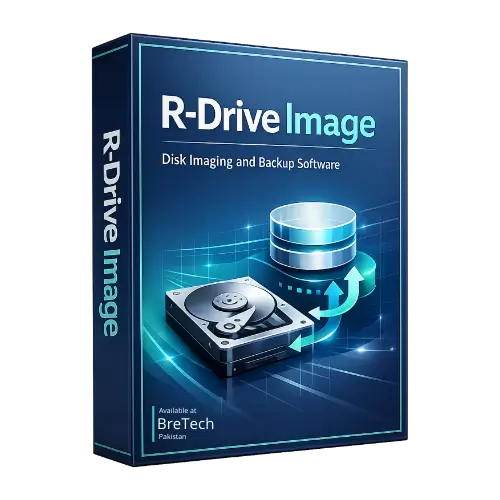
R-Drive Image
Rs 14,609
Buy R-Drive Image in Pakistan for creating complete disk images, backing up Windows systems, cloning drives, and restoring files or partitions.
- Full disk and partition imaging
- System backup and disaster recovery
- Disk cloning and drive migration
- Bootable recovery media support
- PKR pricing, digital delivery, and activation help
Need to back up a Windows computer, clone a drive, or restore a system after a failure? R-Drive Image creates image files containing complete drives, partitions, logical disks, or selected files.
You can use these images to restore a system, recover individual files, replace a hard drive or SSD, or copy data to another compatible drive.
Buy R-Drive Image in Pakistan from BreTech with PKR pricing, local payment options, digital delivery, activation help, and invoice support.
Looking for more backup tools? Shop Disk & System Imaging Software or Explore R-Tools Technology Products.
How R-Drive Image Helps You
R-Drive Image protects complete Windows systems by creating restorable disk-image backups.
- Full Disk Imaging: Create images of complete hard drives, partitions, or logical disks.
- Selected File Imaging: Create an image containing selected files instead of a complete drive.
- System Recovery: Restore Windows, applications, settings, partitions, and files after a system or storage failure.
- Disk Cloning: Copy an entire hard drive, SSD, partition, or logical disk to another compatible device.
- Individual File Recovery: Mount an image as a read-only virtual drive and copy selected files or folders.
- Bootable Recovery Media: Create supported startup media for restoring system and locked partitions.
- Incremental and Differential Backups: Save changes made after an earlier image.
- Scheduled Backups: Automate supported imaging and backup operations.
- Image Protection: Use compression, password protection, comments, and supported encryption.
- Image Verification: Check an image for errors before using it for restoration.
- Network and Online Storage: Save supported images to local, removable, network, cloud, or server locations.
- Partition Management: Create, delete, wipe, or resize supported partitions during applicable operations.
Before You Buy
The R-Drive Image Standalone licence covers one personal computer or workstation. It does not cover a server.
The licence remains valid for the lifetime of the covered computer. It can be moved when that computer is permanently decommissioned or replaced, but it cannot be transferred repeatedly between computers.
Choose R-Drive Image Technician when one organization needs to service multiple internal workstations or servers with one locally operated licence.
IT service providers who back up, restore, clone, or deploy customers’ computers require the R-Drive Image Commercial licence, not Standalone or Technician.
Store important images on a separate physical drive or suitable external location. A backup kept only on the source disk may also be lost when that disk fails.
Check the source and destination carefully before cloning or restoring. Selecting the wrong destination can overwrite existing data.
Why Buy from BreTech
- Genuine Licence: Buy legitimate R-Tools Technology software.
- PKR Pricing: Review the available price in Pakistani rupees.
- Local Payment Options: Use available local payment options.
- Digital Delivery: Receive your registration details after processing.
- Activation Help: Get basic help with downloading and activation.
- Invoice Support: Request an invoice for purchasing records.
FAQs
Q: How many computers does the Standalone licence cover?
A: It covers one personal computer or workstation and does not cover a server.
Q: Can I move the licence to another computer?
A: It can be moved when the covered computer is permanently replaced or decommissioned. It cannot be moved repeatedly between computers.
Q: Can R-Drive Image clone an HDD to an SSD?
A: It can copy supported drives and partitions to another compatible device. Confirm the destination capacity and partition layout before cloning.
Q: Can I restore only one file?
A: Yes. A supported image can be mounted as a read-only virtual drive so individual files and folders can be copied.
Q: Can I use it on customers’ computers?
A: Customer backup, restoration, cloning, or deployment services require R-Drive Image Commercial.
Related Product
- R-Drive Image Technician: For local use across multiple internal workstations and servers within one organization.
Learn Before You Buy
- File Backup vs System Image Backup in Pakistan
- Best Backup Software in Pakistan
- Full Guide to Clone NVMe SSD to NVMe SSD
Buy R-Drive Image in Pakistan
Choose R-Drive Image for disk imaging, backup, cloning, and restoration on one personal computer or workstation.
Buy through BreTech with PKR pricing, local payment options, digital delivery, activation guidance, and invoice support.
Important Note
Software features, supported image formats, storage services, system requirements, licence terms, pricing, and availability may change. Review the selected option before buying.

There are no reviews yet.