 Abdul Basit
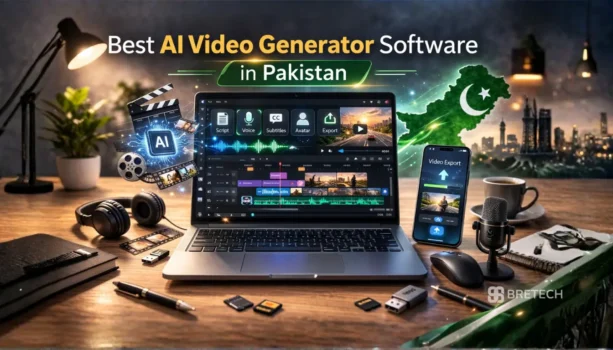
The best AI video generator software in Pakistan depends on what you want to create. Wondershare Filmora is a strong choice when you need AI video generation together with full timeline editing. Vidnoz AI focuses on avatars and presenter videos, while Media.io AI Talking Avatar is useful when you want to turn a photo into a talking spokesperson.
FlexClip combines browser-based AI video generation, avatars, templates, and editing tools for social and marketing content. Movavi Video Suite is different because it focuses more on AI-assisted editing, recording, and conversion than full prompt-to-video generation.
For Pakistan buyers, the important differences are AI credits, video length, export quality, avatar support, editing control, platform, and free-plan limits. You can compare current products in the AI Video Software category with PKR pricing and available local purchase support from BreTech.
Best AI Video Generator Software in Pakistan at a Glance
| Software | Best For | AI Video Generation | AI Avatar | Editing Control | Platform |
|---|---|---|---|---|---|
| Wondershare Filmora | AI generation plus detailed video editing | Yes | Not its main focus | High | Desktop and mobile |
| Wondershare ReelMate AI | Cinematic AI video and short-drama creation | Yes | Not its main focus | Medium | Online |
| Movavi Video Suite | AI-assisted editing, recording, and conversion | Not its main focus | No | High | Desktop |
| Vidnoz AI | AI avatars, presenters, training, and business videos | Yes | Yes | Medium | Browser |
| Media.io AI Talking Avatar | Talking photos and spokesperson clips | Focused avatar generation | Yes | Low | Browser |
| FlexClip | AI video, avatars, ads, social and marketing content | Yes | Yes | Medium | Browser |
Filmora is the strongest option here when you want to generate content with AI and then continue editing it in a full timeline. Vidnoz and FlexClip are broader browser-based AI creation platforms, while Media.io AI Talking Avatar solves the narrower job of making a photo speak. Movavi is better treated as an AI-assisted editor rather than a direct text-to-video generator.
AI Video Generator vs AI Video Editor: What Is the Difference?
An AI video generator creates new video content from inputs such as text, images, scripts, audio, or prompts. Depending on the platform, it may generate scenes, voices, avatars, animation, captions, music, or complete draft videos.
An AI video editor starts mainly with footage you already have and uses AI to reduce editing work. Typical tools include automatic subtitles, background removal, noise reduction, object tracking, smart cuts, and other editing assistance.
Some products now do both. Filmora, for example, combines AI text, image, and audio-to-video generation with a normal editable timeline. Movavi Video Suite focuses more heavily on AI-assisted editing tools such as automatic subtitles, background removal, motion tracking, and noise cleanup.
If your main goal is improving footage you already recorded rather than generating new video, see the Best AI Video Editors in Pakistan guide.
1. Wondershare Filmora: Best for AI Generation Plus Full Video Editing
Wondershare Filmora is a good fit for creators who want AI video generation without giving up normal timeline editing.
Filmora currently supports several AI creation workflows, including text or idea to video, image to video, audio to video, script-based generation, AI voice tools, automatic captions, video enhancement, and other AI-assisted editing features. Generated content can then be adjusted inside Filmora’s normal editing timeline.
This combination makes Filmora useful for YouTube videos, Reels, tutorials, course content, product videos, freelance projects, and business promos where an AI-generated first draft still needs manual editing.
Who Should Choose Filmora?
Filmora makes the most sense if you:
- Want AI generation and normal editing in one program
- Create YouTube or longer videos
- Need more control after AI generates a draft
- Work with both generated and recorded footage
- Need captions, effects, transitions, audio, and timeline editing
- Regularly create social, course, freelance, or business videos
Filmora currently supports multiple AI video-generation models as well as text, image, and audio-based creation workflows. AI feature availability and credit use can depend on the selected plan and tool.
Pakistan buyers can check the current Wondershare Filmora 15 options on BreTech.
If you already own Filmora and need additional AI usage, Filmora AI Credits are a separate add-on rather than another video editor.
2. Wondershare ReelMate AI: Best for Cinematic AI Video and Short Dramas
Wondershare ReelMate AI is designed for creators who want to develop ideas, scripts, storyboards, AI-generated scenes, images, and audio within a more cinematic production workflow.
Unlike Filmora, which combines AI tools with detailed timeline editing, ReelMate focuses more directly on AI-first content creation. It can support script-to-screen workflows, storyboard generation, scene creation, AI video, AI images, voices, music, and other generated production assets.
If you specifically want to turn written scripts into scenes and finished videos, compare the best script-to-video AI tools in Pakistan.
This makes ReelMate especially relevant for short dramas, episodic content, cinematic social videos, story-based marketing, creative teams, and creators who want to develop more of a project with generative AI before moving into detailed editing.
Who Should Choose ReelMate AI?
ReelMate AI makes sense if you:
- Want AI-first cinematic video creation
- Create short dramas or story-based videos
- Need script-to-storyboard workflows
- Want AI video, image, and audio generation
- Need greater consistency across scenes
- Work on multi-scene or episodic projects
- Want to continue editing generated assets in Filmora
For current options and PKR pricing, see Wondershare ReelMate AI on BreTech.
3. Movavi Video Suite: Best for AI-Assisted Editing and Multimedia Work
Movavi Video Suite is better suited to users who mainly want to edit, record, and convert existing media rather than generate complete videos from text prompts.
The current Movavi Video Suite combines video editing, screen recording, media conversion, effects, and other multimedia tools. Its AI-assisted features include automatic subtitles, background removal, noise reduction, and related editing automation.
This makes Movavi useful for teachers, students, trainers, home users, small businesses, and creators who already have footage and want AI to make normal editing easier.
Who Should Choose Movavi?
Movavi Video Suite can fit users who:
- Already have video footage to edit
- Need automatic subtitles
- Want AI background removal or noise cleanup
- Record tutorials, lessons, or software demonstrations
- Need video conversion as well as editing
- Prefer a desktop multimedia suite
Movavi should not be selected mainly for AI avatars or advanced prompt-to-video generation. Vidnoz, FlexClip, Filmora’s dedicated generative tools, or a focused avatar tool are closer matches for those needs.
See Movavi Video Suite Plus for the current BreTech option.
4. Vidnoz AI: Best for AI Avatars and Presenter Videos
Vidnoz AI is built around browser-based AI video creation, with a strong focus on avatars, voices, templates, and presenter-style videos.
Its current platform includes AI avatars, text-to-video and prompt-to-video workflows, templates, custom avatar options, voice tools, translation, subtitles, and business-oriented video creation. Vidnoz currently lists more than 1,900 studio avatars on its paid plans, although plan limits and available assets can change.
This makes Vidnoz suitable for training, explainers, marketing, onboarding, presentations, educational content, and other videos where a digital presenter is more important than detailed timeline editing.
Who Should Choose Vidnoz?
Vidnoz makes sense if you:
- Need AI presenter videos
- Want ready-made avatar choices
- Create training or explainer videos
- Need script-to-video workflows
- Produce business or educational content
- Prefer working in a browser
- Do not want to record a presenter for every video
For individual creators and lighter use, see the Vidnoz AI Starter Plan.
Teams and organizations with higher usage requirements can compare the Vidnoz AI Business Plan.
If you are deciding whether you need to pay, read Vidnoz AI Free vs Paid in Pakistan.
5. Media.io AI Talking Avatar: Best for Making Photos Talk
Media.io AI Talking Avatar is more focused than Vidnoz or FlexClip. Its main job is to turn a still image with a visible face into a talking-head video.
You can upload a photo and provide either audio or text. Media.io can use the audio for lip synchronization or generate speech through its integrated text-to-speech workflow. It then animates the face, lip movement, expressions, and head motion to create a talking avatar.
This is useful when you need a short spokesperson, tutorial, presentation, training clip, social post, or personalized message without recording someone on camera.
Media.io AI Talking Avatar vs Vidnoz
Choose Vidnoz when you want a broader AI avatar platform with many ready-made presenters, templates, longer business workflows, and more video-generation features.
Choose Media.io AI Talking Avatar when your main task is simpler:
photo + script or audio → talking-head video
Media.io also continues to update its Talking Avatar and lip-sync tools, including recent improvements to upload workflows, facial alignment, and motion.
Pakistan buyers can view Media.io AI Talking Avatar on BreTech.
6. FlexClip: Best for Browser-Based AI Video and Marketing Content
FlexClip has expanded beyond simple templates. It now combines AI video generation, image-to-video, AI avatars, script and URL-based workflows, subtitles, editing, and other browser-based creation tools.
Its current AI video generator supports text and image inputs and multiple generation models. FlexClip also provides talking avatars, including ready-made and custom avatars created from photos or videos, with script or audio-based speech.
This makes FlexClip particularly useful for ads, promotional videos, product content, Reels, Shorts, presentations, and marketing teams that prefer a browser workflow.
Who Should Choose FlexClip?
FlexClip can suit users who:
- Want AI video creation in a browser
- Make ads, promos, or social videos
- Need text or image-to-video generation
- Want AI talking avatars
- Use templates and stock media
- Need quick editing after AI generation
- Work individually or with a team
FlexClip also includes a built-in editor, so generated clips can be combined with text, subtitles, music, voiceovers, stock assets, and other media.
Solo creators can check FlexClip Plus, while teams and businesses can use the FlexClip Business Plan.
For plan-selection help, see the FlexClip Pricing in Pakistan guide.
Which AI Video Generator Is Best for Your Use Case?
There is no single winner for every type of video. The best tool depends on what you need the AI to create and how much editing you want afterward.
Best for AI Video Generation and Detailed Editing
Choose Filmora if you want to generate video with AI and then continue editing the result in a full timeline.
It is the strongest fit in this list for users who combine AI-generated clips with recorded footage, music, captions, effects, screen recordings, and longer projects.
Best for AI Avatars and Presenter Videos
Choose Vidnoz AI when avatar-led videos are the main requirement.
It is a better match for training, HR, business presentations, explainers, educational content, and other workflows where a digital presenter speaks from a script.
Best for Turning One Photo Into a Talking Video
Choose Media.io AI Talking Avatar when you already have a portrait or character image and mainly need to make it speak.
It is more focused than Vidnoz or FlexClip and does not need to replace a full video editor.
Best for Browser-Based Marketing and Social Videos
Choose FlexClip if you want AI generation, avatars, templates, editing, and marketing workflows in one browser-based platform.
Its combination of generation and editing is useful for shops, marketers, freelancers, and content teams producing frequent short videos.
Best for Editing Existing Videos With AI Help
Choose Movavi Video Suite when you already have footage and need an easier desktop workflow for editing, subtitles, recording, conversion, background removal, and audio cleanup.
It is an AI-assisted video suite rather than the strongest choice for generating complete videos from prompts.
Free vs Paid AI Video Generators in Pakistan
Free AI video generators are useful for testing a platform before paying. This matters because AI output, avatar quality, voices, editing workflow, and rendering speed can feel different between tools.
Free access may limit AI credits, generation time, video duration, export options, models, avatars, storage, or watermark removal. The exact restrictions depend on the platform and can change.
Before upgrading, test the features that matter to your actual workflow.
Stay on a Free Plan If
A free option may be enough when you:
- Are only testing AI video generation
- Create videos occasionally
- Do not need regular client exports
- Can work within the available credit limits
- Are still comparing different tools
Consider a Paid Plan If
Paid access becomes more useful when you:
- Produce videos every week
- Need more AI credits
- Need longer videos
- Want more avatar or voice choices
- Need cleaner or higher-quality exports
- Create business or client content
- Need team features or branding controls
Do not upgrade simply because a larger plan exists. First identify which free-plan limitation is stopping you from completing real work.
Online AI Video Generators vs Desktop Software
Browser-based and desktop AI video tools solve different problems.
Vidnoz, Media.io, and FlexClip run mainly online. They are convenient because AI processing happens through web services and you do not need to install a large editor. However, uploading media and generating content depends on a reliable internet connection.
Filmora and Movavi provide desktop editing workflows. They are better suited to users who want a detailed local timeline and more control over recorded footage. Some Filmora generative AI features still use online AI processing, so desktop software does not mean every AI task happens locally.
Choose based on workflow rather than assuming one type is automatically faster or better.
What to Check Before Buying AI Video Software
AI products change quickly, so a tool that fits one user may not fit another.
Before buying, check:
- What type of video you need to create
- Text-to-video or image-to-video support
- AI avatar requirements
- Video length limits
- Monthly or plan-based AI credits
- Export resolution
- Watermark rules
- Supported languages and voices
- Commercial or business-use requirements
- Team seats, if needed
- Browser, Windows, or Mac requirements
- Renewal and subscription terms
If Urdu voice, Urdu captions, or localized AI video creation is important, also read Urdu AI Video Generator Tools in Pakistan.
AI Video Generator Software Price in Pakistan
AI video generator pricing varies because these products use different licensing and credit models.
Some plans are aimed at individual creators, while higher plans may include more AI credits, video minutes, avatars, storage, team features, or business-use options.
Instead of comparing only the lowest price, compare the amount of AI generation you actually receive. A cheaper plan can become restrictive if you create many videos each month.
For current PKR pricing, use the individual BreTech product pages linked in this guide. Software prices, promotions, credit allowances, and plan features can change.
Buy AI Video Generator Software in Pakistan
BreTech provides genuine software and subscription options for Pakistan buyers with PKR pricing, local payment methods, digital delivery, activation guidance, and invoice support where applicable.
For most users:
- Choose Filmora for AI generation plus detailed video editing.
- Choose Movavi Video Suite for AI-assisted desktop editing, recording, and conversion.
- Choose Vidnoz AI for broader AI avatar and presenter workflows.
- Choose Media.io AI Talking Avatar for turning photos into talking spokesperson videos.
- Choose FlexClip for browser-based AI video, avatars, templates, and marketing content.
If your main need is traditional editing rather than video generation, compare more options in the Best Video Editing Software in Pakistan guide.
Final Recommendation
For the widest mix of AI video generation and manual editing, Filmora is the strongest all-round option in this comparison.
Vidnoz is better when AI avatars and presenter videos are the main goal. Media.io AI Talking Avatar is a focused choice for making photos speak, while FlexClip provides a broader browser-based workflow for AI video, avatars, marketing, and social content.
Movavi Video Suite remains useful for users who mainly want AI to make normal video editing, subtitles, recording, and multimedia work easier.
The best choice is the tool that matches the type of video you actually need to create, the amount of AI usage you need each month, and how much control you want after the AI produces the first result.