Abdul Basit
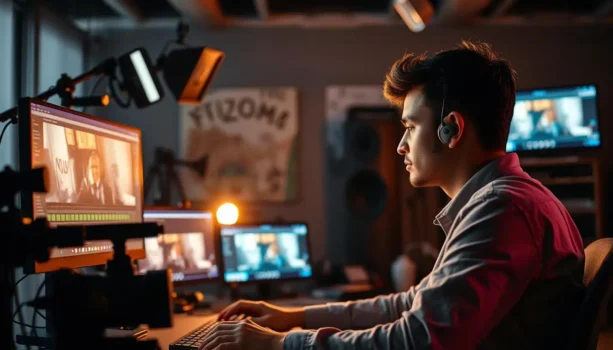
Best video editing software helps YouTubers, freelancers, students, and SMEs turn recorded footage into cleaner, more polished videos with the editing control, captions, effects, audio tools, and export options their projects require.
For many Pakistani creators in 2026, Wondershare Filmora is a strong all-round choice because it combines an accessible timeline editor with templates, effects, captions, AI-assisted tools, and high-resolution export support. Movavi Video Editor Plus offers a simpler editing workflow, while Movavi Video Suite is useful for users who also need screen recording and media conversion.
If your main goal is to generate new video from prompts, scripts, images, or avatars rather than edit existing footage, an AI video generator may be a better choice. This guide explains that difference as well.
BreTech provides genuine software options for Pakistan buyers with PKR pricing, local payment options, digital delivery, activation guidance, and invoice support where applicable.
Quick Overview: Best Video Editing Software in Pakistan 2026
If you want a practical shortlist before reading the full guide, start here. These tools cover beginner editing, YouTube production, training videos, browser-based workflows, AI-assisted creation, and more detailed projects.
| Tool | Best For | Key Strengths | Platform |
|---|---|---|---|
| Wondershare Filmora | Beginners to mid-level creators | Timeline editing, effects, captions, AI tools | Windows, macOS |
| Movavi Video Editor Plus | New YouTubers and everyday creators | Simple timeline, captions, effects, automation | Windows, macOS |
| Movavi Video Suite | SMEs, trainers, and course creators | Editing, screen recording, conversion | Desktop |
| FlexClip Plus | Browser-based editing and quick projects | Templates, stock media, AI tools | Web |
| Vidnoz AI Starter | AI explainers and presenter videos | Avatars, voices, script-based video creation | Web |
| EaseUS Video Editor | Windows editing for everyday projects | Multi-track editing, effects, AI subtitles | Windows |
| MiniTool MovieMaker Pro | Beginners, students, and social clips | Multi-track timeline, titles, effects, 4K export | Windows |
| Ashampoo Movie Studio Pro | Longer Windows projects | Multi-track editing, effects, 4K support | Windows |
Filmora is a good starting point when you want broad editing and AI-assisted features in one application. Movavi Video Editor Plus focuses more on straightforward editing, while Movavi Video Suite adds recording and conversion. Browser tools such as FlexClip can suit quicker online projects.
Browse more options in Video Editing Software.
Use the table as a starting point, then check the sections below for the workflow that best matches your content, computer, and intended use.
All-In-One Video Editing Toolkits for Creators and SMEs
If you regularly need editing, screen recording, conversion, or other media tools, a toolkit-style product can reduce the need to move between several applications.
Movavi Video Suite: Editor + Screen Recorder + Converter
Movavi Video Suite combines video editing with screen recording and media conversion.
This can make it useful for creators, trainers, course developers, and SMEs that regularly work with several types of video tasks.
Typical uses include:
- Editing videos on a timeline
- Recording tutorials and software demonstrations
- Converting media between supported formats
- Preparing videos for social, training, or business use
Ideal for: SMEs, trainers, course creators, and YouTubers who regularly need editing plus recording or conversion.
EaseUS VideoKit: Media Toolkit for Daily Video Jobs
If your work involves basic video editing together with conversion and compression, EaseUS VideoKit provides these functions within one toolkit.
It can help with tasks such as:
- Cutting and cropping video
- Converting video and audio formats
- Compressing large video files
- Adding or editing subtitles
- Adjusting video speed
- Preparing files for storage, sharing, or upload
Ideal for: Students, office teams, and creators who need a practical collection of common media tools.
Why the Right Video Editor Matters in Pakistan
Pakistani creators use video for YouTube channels, product demonstrations, courses, training, social media, client work, and business marketing.
Choosing software that matches your hardware and workflow can save editing time and make it easier to maintain consistent video quality.
A suitable editor should let you work with the footage you normally record, organize video and audio tracks, add text or captions, and export in the formats and resolutions your audience or client requires.
How to Choose Video Editing Software for Your PC in Pakistan
Before choosing a video editor, think about the type of projects you create and the computer you actually use.
Simple reels and short YouTube videos may need relatively modest resources, while longer projects, multiple tracks, effects, high-bitrate footage, and 4K editing place more demand on the processor, RAM, graphics hardware, and storage.
Do not choose software only because it has the longest feature list. Check whether your computer meets the vendor’s current system requirements and, where possible, test the software with footage from your real projects.
Key Features for Basic and More Advanced Video Editing
Look for the functions your normal workflow actually needs.
- Core editing tools: Trim, cut, split, crop, arrange clips, and add basic effects.
- Text, titles, and captions: Create intros, lower-thirds, subtitles, and on-screen information.
- Audio editing: Adjust narration, background music, sound effects, volume, and supported noise-reduction tools.
- Export options: Check the formats, aspect ratios, frame rates, and resolutions required for your intended platform.
- Multi-track editing: Useful when projects combine several video, image, text, and audio layers.
- AI-assisted tools: Features such as automatic captions, background removal, smart reframing, noise cleanup, or text-based editing can reduce repetitive work.
- System compatibility: Check the current Windows or macOS requirements before purchasing.
These points matter more than simply choosing the software with the largest number of advertised features.
Best Video Editing Software for Beginners in Pakistan
Easy Timeline Tools to Help You Edit Faster
Tools such as Movavi Video Editor Plus are designed around a relatively straightforward timeline and accessible editing controls.
This can help new users learn trimming, transitions, titles, captions, audio, and exports before moving into more complex workflows.
For Pakistani beginners, the important step is to test the editor with the computer and footage they actually use rather than assuming any editor will perform equally well on every system.
MiniTool MovieMaker Pro: Simple Windows Editing for Beginners
MiniTool MovieMaker Pro is a Windows video editor with multi-track editing, trimming, splitting, captions, titles, transitions, effects, and support for high-resolution exports.
It can suit YouTube clips, reels, tutorials, school projects, slideshows, and small business videos.
MiniTool currently lists support for exporting up to 4K, although actual editing and export performance will depend on your hardware and project.
Best for: Students, new YouTubers, teachers, shop owners, and Windows users who want an accessible editing workflow.
When a Beginner Should Upgrade to a More Advanced Editor
Consider moving to a more capable editing workflow when your current software starts limiting the work you actually need to complete.
Typical reasons include:
- Needing more tracks
- Working with larger projects
- Requiring more detailed audio control
- Needing motion tracking or advanced effects
- Working more frequently with 4K footage
- Producing regular client or business work
Upgrade because your projects require additional capabilities, not simply because a larger version exists.
Best Prosumer and More Advanced Video Editing Tools
Prosumer Video Editor Options for YouTube and Client Work
Prosumer editors can provide more control than very basic editing software while remaining accessible to individual creators.
Filmora, Movavi, and EaseUS Video Editor can all cover common timeline-based workflows such as cutting, captions, effects, audio, multi-track editing, and social content.
The right option depends on the tools you need, your preferred interface, your hardware, and whether your work requires additional AI or media-management capabilities.
Editing for Agencies, Studios, and SMEs
Agencies and business teams may need more than individual editing features.
Typical requirements can include:
- Repeatable project workflows
- Consistent branding
- Organized media storage
- Suitable commercial or business licensing
- Reliable export settings
- Collaboration or shared production processes
For some organizations, a creator-focused editor is enough for regular weekly content. More specialized production software may be appropriate when projects require deeper color, audio, collaboration, or finishing workflows.
Cross-Platform Video Editing: Windows, macOS, and Browser-Based Tools
When You Need Editing Across Different Systems
Some creators move between home and office computers or work with team members using different operating systems.
In that situation, check whether the software supports the operating systems you need and whether project compatibility, cloud storage, or account-based workflows are available for the selected product.
Cross-platform availability does not automatically mean every project, feature, or asset behaves identically on every device, so check the current vendor documentation when this is important.
Cloud and Browser Editors vs Traditional Desktop Software
Web-based tools such as FlexClip can be convenient for quick projects, templates, social media videos, and browser-based workflows.
Desktop editors are generally better suited when you need a larger local timeline, direct access to locally stored footage, more detailed manual editing, or longer projects.
Browser tools depend heavily on your internet connection for uploads and cloud processing. Desktop editors can reduce that dependence for normal timeline work, although many modern AI features still require an internet connection.
Choose based on workflow rather than assuming browser or desktop software is automatically better.
AI Video Features in Modern Video Editors
How AI Tools Can Speed Up Editing Tasks
AI-assisted editing can reduce repetitive work without replacing normal creative decisions.
Depending on the software, current AI tools can include:
- Automatic captions
- Text-based editing
- Background removal
- Smart reframing
- Motion tracking
- Audio noise reduction
- Automatic short-clip creation
- Speech-to-text
- AI-generated media
Filmora, Movavi Video Editor, DemoCreator, CapCut, and other modern editors provide different combinations of these capabilities.
Feature availability can depend on the product version, plan, platform, AI credits, or cloud service.
Where AI Helps in More Advanced Video Workflows
AI can be useful for time-consuming technical tasks such as generating subtitles, finding key moments, cleaning audio, removing backgrounds, tracking moving subjects, or reframing content for vertical platforms.
The editor still controls the final pacing, story, branding, audio balance, and export.
AI works best as part of the editing workflow rather than as a substitute for reviewing the finished video.
When You Need AI Video Generation Instead of Editing
A video editor is the better choice when you already have footage and mainly need to cut, polish, caption, arrange, and export it.
An AI video generator starts earlier in the process and creates new video material from prompts, scripts, images, audio, avatars, or other inputs.
For AI-first cinematic creation, Wondershare ReelMate AI is designed for workflows involving scripts, storyboards, generated scenes, AI video, images, audio, and short-drama production. If your main goal is turning written content into scenes and a broader finished video, compare the best script-to-video AI tools in Pakistan.
If you mainly need a digital presenter to speak from a script, compare the best AI avatar video generators in Pakistan. For the narrower task of turning a suitable portrait or character image into a talking-head video, Media.io AI Talking Avatar is another option.
If generation rather than editing is your main requirement, compare the tools in the Best AI Video Generator Software in Pakistan guide.
Choose the Right BreTech Video Editor by Use Case in Pakistan
Use this shortlist to match the product to the work you actually do.
- Movavi Video Editor Plus: Straightforward editing for YouTube, tutorials, presentations, and everyday projects.
- Movavi Video Editor Business: Business-oriented option when the applicable license matches organizational or commercial requirements.
- Wondershare Filmora: Broader creative editing with effects, captions, AI tools, and generative features.
- EaseUS Video Editor: Windows timeline editing with effects, AI subtitles, audio tools, and high-resolution export support.
- MiniTool MovieMaker Pro: Accessible Windows editor for everyday videos, titles, effects, and multi-track projects.
- FlexClip Plus: Browser-based editing for templates, social videos, promos, and quick online production.
- CapCut Pro: Editing for Shorts, Reels, TikTok, YouTube, captions, effects, and fast social workflows.
- Vidnoz AI Starter: Better treated as an AI avatar and presenter-video generator rather than a traditional timeline editor.
- Ashampoo Movie Studio Pro: Windows editing with multi-track support, effects, audio tools, and 4K support.
Browse by brand: Wondershare, Movavi, EaseUS, Ashampoo
Together, these products cover a wide range of needs from basic social clips to business videos and more detailed editing projects.
Best Video Editor Setups for Different Pakistani Use Cases
Students and Beginners Creating Simple Social Clips
Students often need an editor for class projects, presentations, reels, and simple YouTube videos without a complex production workflow.
An accessible desktop editor can cover normal timeline work, while a browser tool such as FlexClip can be useful for templates and quick online projects.
Before purchasing, test the software on your current computer if a trial or free version is available.
Freelancers and YouTubers Needing More Editing Control
Freelancers and YouTube creators commonly work with a mixture of short videos, longer content, client promos, explainers, captions, music, and recorded footage.
Filmora or Movavi Video Suite can serve as the main editor depending on the workflow.
AI video tools such as Vidnoz may also help when a project specifically requires an AI presenter or generated explainer rather than traditional recorded footage.
Businesses and Teams
SMEs, training departments, marketing teams, and agencies should look beyond individual editing features.
They may also need:
- Appropriate business licensing
- Repeatable workflows
- Shared brand assets
- Screen recording
- Reliable file management
- Invoice documentation
- Vendor and reseller support
Choose based on the organization’s actual production process rather than the number of AI features included.
Recommended PC Specs for Smooth Video Editing in 2026
Hardware for 1080p and 4K Editing
There is no universal hardware specification that guarantees smooth performance across every editor.
Requirements depend on:
- Software
- Processor
- RAM
- Graphics hardware
- Video codec
- Resolution
- Frame rate
- Number of tracks
- Effects
- Project length
For lighter 1080p projects, many current editors can work on mainstream computers that meet their published minimum or recommended specifications.
For regular 4K projects, more RAM, SSD storage, and suitable graphics hardware can make the workflow more practical.
Always check the current system requirements for the exact editor you plan to buy.
Storage, Backup, and Project Management Tips
Video projects can consume significant storage, especially when working with high-resolution footage.
Keep raw footage, project files, and exports organized so you can find and back up important files easily.
For important work, maintain at least one additional copy of project files and source media. An external drive or another suitable backup location can help protect work if the main computer or storage device fails.
Common Video Editing Problems and How to Reduce Them
Lag, Crashes, and Slow Exports
Performance problems can occur when project demands exceed available hardware resources or when footage, effects, codecs, drivers, or storage create bottlenecks.
Possible ways to improve editing performance include:
- Using proxy media where supported
- Closing unnecessary applications
- Keeping enough free storage
- Updating supported graphics drivers
- Reducing unnecessary heavy effects
- Working at a lower preview resolution
- Testing shorter exports before rendering a long project
A lightweight editor can sometimes be more practical than a larger application on an older computer, but performance should be tested rather than assumed.
Watermarks, Trial Limits, and Unauthorized Software
Free versions and trials can include restrictions such as watermarks, limited export options, disabled features, or usage limits.
Check these conditions before starting an important client or business project.
Unauthorized or cracked software can also create security, licensing, activation, and update risks. Genuine software provides a clearer licensing path and access to the applicable vendor features and updates.
Conclusion: Picking the Best Video Editor in Pakistan
There is no single best video editor in Pakistan for every user.
The right choice depends on:
- Your computer
- The footage you work with
- The type of videos you create
- Your editing experience
- AI requirements
- Export needs
- Personal or business licensing
- Budget
Filmora is a strong all-round option for creators who want timeline editing together with a broad collection of AI and creative tools.
Movavi Video Editor Plus is a good choice when a simpler editing workflow matters more, while Movavi Video Suite adds recording and conversion.
MiniTool MovieMaker Pro and EaseUS Video Editor can suit Windows users who want accessible timeline editing, while Ashampoo Movie Studio Pro provides another Windows option for multi-track and higher-resolution projects.
If AI should create the footage rather than simply help edit it, use an AI video generator instead of choosing a traditional editor only because it includes some AI features.
For creators who also need photo editing, thumbnails, graphics, branding, and other creative applications, Adobe Creative Cloud may be worth considering. Organizations with multiple users can review Adobe Creative Cloud Pro for Teams when its licensing and included applications match their requirements.
You can also browse the broader Video Software category for converters, screen recorders, AI tools, effects, and related products.
Further Reading
Want to compare more video and AI tools? These guides may help:
- Urdu AI Video Generator Tools in Pakistan
- Best AI Video Editing Software in Pakistan
- Best Video Converter Software in Pakistan
- Best Video Editing Software for Vlogging in Pakistan
- FlexClip Pricing in Pakistan: Buy & Activate Guide
For more related guides, browse BreTech’s Video Editing Guides or visit the BreTech blog.