 Abdul Basit
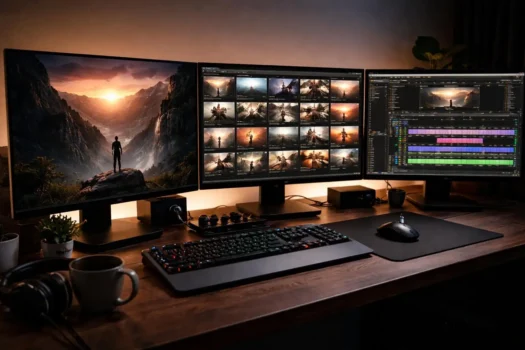
ReelMate AI is the strongest choice here for cinematic short dramas and story-led production, while InVideo AI is better for fast automated video creation and Filmora is better when detailed editing matters.
All three can turn scripts or written ideas into video, but they handle the workflow differently. ReelMate focuses on script-to-screen production, storyboards, characters, scenes, and cinematic planning. InVideo AI automates more of the first draft, while Filmora combines AI generation with a full editing timeline.
For businesses, agencies, studios, and creators in Pakistan, the right choice depends on the type of video, editing control, team workflow, and AI generation limits.
You can also explore AI video software in Pakistan for more video creation, avatar, editing, and AI production tools.
What Is Script-to-Video AI and How Does It Work?
A script-to-video AI generator takes written content and helps turn it into a video. Instead of manually building every scene, the software can use AI to create a first draft from your script.
A normal workflow may look like this:
- Add your script or prompt and describe the type of video you want.
- Let the AI plan scenes and visuals based on the text.
- Add or generate voiceovers, captions, music, and other assets.
- Review the first draft and change scenes, timing, or narration.
- Edit and export the finished video in the required format.
The exact workflow changes from one tool to another. InVideo AI focuses more on automated video generation. Filmora combines AI generation with traditional timeline editing. ReelMate goes further into story production with script development, asset extraction, cinematic storyboarding, and post-production workflows.
Script-to-video and text-to-video are closely related, but they are not always the same. Text-to-video may create a scene from a short prompt, while script-to-video tools usually work with longer structured content and can divide it into scenes, narration, captions, and visuals.
Some tools can also help write or improve the script before generating the video. This is useful when a business only has an idea, outline, product description, or first draft.
If you are still comparing different types of AI video software, see our Best AI Video Generator Software in Pakistan guide.
ReelMate vs InVideo AI vs Filmora at a Glance
ReelMate AI, InVideo AI, and Filmora can all help create video from written content, but they are not identical AI video generators.
| Feature | ReelMate AI | InVideo AI | Filmora |
|---|---|---|---|
| Strong fit for | Short dramas, cinematic stories, creative teams | Marketing, explainers, social videos | AI generation plus detailed editing |
| Start from a script | Yes | Yes | Yes |
| AI script support | Yes | Yes | Yes |
| Scene generation | Yes | Yes | Yes |
| Storyboarding | Strong cinematic focus | Automated scene planning | Supported through AI creation tools |
| Character and story assets | Strong focus | Depends on workflow | Supported through AI and editing tools |
| Voiceovers | Yes | Yes | Yes |
| Captions/subtitles | Yes | Yes | Yes |
| Detailed timeline editing | Direct Filmora handoff | More AI-led workflow | Strong |
| Team production focus | Strong | Depends on plan | Depends on setup |
| Main advantage | Wider script-to-screen workflow | Faster AI-first creation | AI generation with deeper editing control |
ReelMate stands out because it is built around more than turning text into a quick video. Its workflow covers AI scriptwriting, characters, scenes and props, cinematic storyboarding, localization, collaboration, and post-production.
Choose by production workflow, not just generation speed. A fast first draft can save time, but scene control, editing, collaboration, and final output also matter.
How These Script-to-Video AI Tools Compare
ReelMate, InVideo AI, and Filmora overlap in AI video creation, but each is stronger at a different stage of production.
Wondershare ReelMate AI
Wondershare ReelMate AI is designed for cinematic storytelling, short-form drama, and broader script-to-screen production.
A project can begin with an idea, original script, or longer story. ReelMate can help with script development and identify important assets such as characters, scenes, and props. Its workflow also includes cinematic storyboarding, voiceovers, music, subtitles, and post-production tools.
One of its more advanced features is the 3D Director Workspace. It gives creators more control over camera angles, character blocking, dialogue pacing, shot continuity, and scene performance.
ReelMate also includes 20+ precision editing tools for frame-level refinement, along with an Infinite Canvas for arranging ideas, assets, and storyboards in one workspace. According to Wondershare, these tools are designed to support more controlled production and team collaboration.
ReelMate also supports collaboration and reusable creative assets, which can help larger production teams manage ongoing projects.
Wondershare also reports that ReelMate can support production of up to 10 episodes per person per day in its AI drama workflow. This is a vendor-reported figure rather than an independent benchmark, so actual output will depend on project length, quality requirements, and revision work.
It is a stronger fit for:
- Short-form drama studios
- Creative and advertising agencies
- Film and video production teams
- Story-led video series
- Professional creators producing cinematic content
It may be more than you need if your main goal is a quick explainer or simple social media video.
InVideo AI
InVideo AI takes a more automated approach. A user can provide a script, topic, or prompt and let AI handle much of the first video draft.
The workflow can combine written content with visuals, narration, captions, music, and other video elements. This can make it useful for creators and marketing teams that want to produce videos without manually building every scene.
InVideo AI can suit:
- Marketing videos
- Social media content
- Explainers
- Promotional videos
- Fast first drafts
- Teams that prefer an AI-led workflow
Its main advantage is speed and automation. If you want AI to handle more of the early production work, InVideo AI may be simpler than starting with a full editing workflow.
Wondershare Filmora
Wondershare Filmora combines AI video creation with a full video editor.
Creators can use AI to help turn scripts and ideas into video content, then continue working inside Filmora’s editing timeline. This gives more control over clips, timing, audio, captions, transitions, effects, and final export.
Filmora is especially useful when the AI-generated first draft is only the starting point. A creator can make detailed changes instead of depending only on an automatic output.
ReelMate and Filmora can also work together rather than replacing each other. ReelMate can support earlier stages such as scripts, assets, and storyboards, while projects can move into Filmora for more detailed editing and finishing.
Why Use AI Script-to-Video Tools?
The main benefit is faster first-draft production. AI can help with scene planning, visuals, narration, captions, and video structure, reducing the amount of manual work needed before editing begins.
For businesses, these tools can help create:
- Product demos
- Marketing videos
- Explainers
- Training videos
- Social media content
- Short-form videos
- Story-led series
AI still needs human review. Scripts, visuals, branding, captions, voices, pacing, and final video quality should be checked before publishing.
What Types of Videos Can You Create With Script-to-Video AI?
Script-to-video AI tools can create many types of content, but each platform is stronger for different workflows.
| Your Need | Strong Fit | Why |
|---|---|---|
| Short dramas and story series | ReelMate AI | Strong focus on scripts, characters, assets, storyboards, and episode production |
| Cinematic storytelling | ReelMate AI | More control over scenes, camera planning, and story production |
| Creative agency workflows | ReelMate AI | Collaboration and wider production tools |
| Marketing and explainers | InVideo AI | Faster AI-led video creation |
| Quick social videos | InVideo AI | Less manual production work |
| Detailed editing after AI generation | Filmora | Full editing timeline and finishing tools |
| AI creation plus deeper editing | ReelMate + Filmora | ReelMate supports story production while Filmora handles detailed editing |
The best tool depends on whether your priority is cinematic production, fast AI generation, or detailed editing.
If your main goal is a digital presenter speaking from a script rather than AI-generated scenes and storyboards, compare the best AI avatar video generators in Pakistan.
How to Turn a Script Into a Video With AI
Most script-to-video tools follow a similar process:
- Prepare the script. Start with your own script or use AI to help create a draft.
- Choose the video style. Decide whether you need a marketing video, explainer, short drama, social clip, or another format.
- Generate the scenes. Let the AI create or select visuals based on the script.
- Add narration and captions. Review AI voices, subtitles, music, and other audio.
- Review the video. Check scene order, pacing, visuals, pronunciation, and text.
- Edit and export. Make final changes before creating the finished video.
ReelMate adds more production stages around this process, including asset extraction, cinematic storyboarding, scene control, and post-production planning.
Generation time varies by video length, quality, AI model, and platform workload. A simple first draft may be created quickly, while longer cinematic projects with many generated scenes can take more time and require several revisions.
What Should Businesses Check Before Choosing a Script-to-Video Generator?
Do not choose only by the number of AI features. Check whether the tool fits the way your business actually produces video.
- Video type: Short dramas, ads, explainers, training videos, and social clips can need different workflows.
- Script tools: Check whether you can use your own script, generate one with AI, and edit it before production.
- Visual control: Consider how much control you need over characters, scenes, camera angles, and other assets.
- Voice and subtitles: These matter when creating content for different audiences or markets.
- Editing control: Decide whether an automatic video is enough or whether you need detailed timeline editing.
- Collaboration: Studios and agencies may need review, permissions, and team project tools.
- AI credits and limits: Check generation credits, output options, and renewal terms before buying.
- Commercial use: Review the current license and usage terms for the content you plan to publish.
For larger creative workflows, ReelMate also provides project management, permission controls, reusable assets, and team collaboration features.
Which Script-to-Video AI Tool Should You Choose?
- Choose ReelMate AI if you produce short dramas, cinematic stories, episodic content, or need a wider script-to-screen workflow.
- Choose InVideo AI if you want AI to create fast drafts for marketing, explainers, or social content with less manual work.
- Choose Filmora if you want AI generation but still need detailed control over editing, audio, effects, captions, and final output.
- Use ReelMate with Filmora if you need ReelMate’s story and production workflow followed by deeper post-production editing.
There is no single winner for every business. The better tool is the one that matches your content type, team, editing needs, and production volume.
Free plans or trials can be useful for testing AI video quality, but free access should not be the main buying factor for a business workflow. Generation limits, commercial use, output quality, credits, collaboration, and editing control usually matter more for regular production.
Buy Script-to-Video AI Software in Pakistan
Businesses, agencies, studios, and professional creators in Pakistan can consider ReelMate when they need a more complete AI workflow for cinematic stories, short-form drama, storyboards, and script-to-screen production.
Filmora is a better fit when detailed timeline editing is the main requirement. The two products can also work together, with ReelMate supporting earlier production stages and Filmora handling more detailed post-production and finishing.
BreTech offers genuine Wondershare software for buyers in Pakistan. You can explore Wondershare software with PKR pricing, local payment options, digital delivery, activation guidance, and invoice support where applicable.
InVideo AI is included here as a comparison option. BreTech does not sell or represent InVideo AI.
For agency, studio, team, or larger ReelMate requirements, contact BreTech for help choosing a suitable option.
Final Verdict
ReelMate AI is the most specialized option here for cinematic and story-led production. Its workflow covers scripts, characters, scenes, props, storyboards, collaboration, AI video production, and a direct path into Filmora for further editing.
InVideo AI is a better fit when speed and AI automation matter more than detailed production control. Filmora is stronger when you want AI to help create the first draft but still need a full editing environment before export.
For studios, agencies, and professional creators in Pakistan, start with the type of video you need to make. Then compare the workflow, editing control, team features, AI limits, and commercial terms before choosing.