
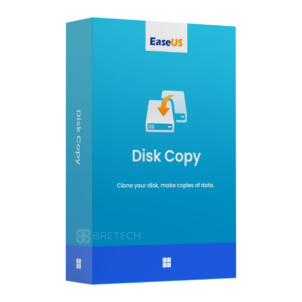
EaseUS Disk Copy Technician
Rs 28,925 Rs 97,175Price range: Rs 28,925 through Rs 97,175
Buy EaseUS Disk Copy Technician in Pakistan for cloning disks, partitions, and Windows systems across supported client PCs and servers.
- Genuine EaseUS licence
- For independent technicians and service providers
- Clone HDDs, SSDs, partitions, and Windows systems
- PKR pricing and local payments
- Digital delivery, activation help, and invoice support
EaseUS Disk Copy Technician helps technicians, repair centres, IT service providers, and organisations clone complete disks, selected partitions, and Windows systems across supported client computers and servers.
Buy a genuine EaseUS licence in Pakistan with PKR pricing and digital delivery, typically within a few hours; allow 1–72 business hours. Pay by JazzCash, Easypaisa, or bank transfer, with local activation help and invoice support. BreTech is a trusted seller of genuine software licences in Pakistan.
Shop System Migration & Deployment Software and Explore EaseUS Products
How EaseUS Disk Copy Technician Helps You
Reinstalling Windows, applications, settings, and files after every drive replacement can take considerable time.
EaseUS Disk Copy Technician can copy an existing disk, partition, or Windows installation to another supported drive. It is suitable for professional migration, disk replacement, storage upgrades, and authorised client service work.
Key Features & Benefits
- Disk Cloning: Copy a complete source disk to another supported storage drive.
- Partition Cloning: Move an individual partition without copying the complete disk.
- Windows Migration: Transfer Windows and its required boot partitions to a new HDD or SSD.
- Sector-Level Copying: Create a detailed sector-by-sector copy when required.
- Partition Resizing: Adjust partition sizes when cloning between drives with different capacities.
- Smaller Drive Migration: Clone to a smaller destination when its available space can hold the used source data.
- GPT and MBR Support: Work with common modern and older disk partition formats.
- WinPE Bootable Media: Create bootable cloning media for systems that cannot start normally.
- Windows Server Support: Use the Technician edition with supported Windows Server systems.
- Modern Drive Support: Work with supported HDDs, SATA SSDs, M.2 SSDs, NVMe SSDs, PCIe SSDs, and USB storage devices.
- Professional Service Use: Perform authorised cloning and migration work across supported client systems.
- Disk Replacement Support: Move an existing system to a replacement drive without starting a fresh Windows installation.
Why Buy from BreTech
- PKR Pricing: Purchase your EaseUS licence in Pakistani rupees.
- Digital Delivery: Receive licence information through email after order processing.
- Activation Guidance: Get local help with installation and licence activation.
- Invoice Support: Request an invoice for business or organisational records.
- Edition Guidance: Get help comparing EaseUS Professional and Technician editions.
FAQs
Q: What is the EaseUS Disk Copy Technician price in Pakistan?
A: The PKR price depends on the licence term or product option available on the page. Check the displayed product price or contact BreTech for current pricing.
Q: How long is the licence valid?
A: Licence validity follows the option purchased from BreTech. Upgrade rights and renewal requirements vary by the selected option.
Q: How many systems can a technician service?
A: EaseUS Disk Copy Technician is intended for professional use across supported client systems. Exact device limits, technician rights, installation limits, and software-removal requirements vary according to the current licence terms.
Q: Can it clone Windows Server systems?
A: The Technician edition supports listed Windows desktop and Windows Server systems. Exact operating-system support can change with software updates.
Q: Which storage drives are supported?
A: It supports common storage devices such as HDDs, SATA SSDs, M.2 SSDs, NVMe SSDs, PCIe SSDs, and USB drives. Compatibility can vary by hardware and system configuration.
Q: Can it clone to a smaller SSD?
A: Yes, when the destination drive has enough available capacity for the used data on the source disk.
Q: How do I activate EaseUS Disk Copy Technician?
A: Install EaseUS Disk Copy, open its activation window, and enter the supplied licence code. Keep the licence information private and use it only within the permitted licence scope.
Q: How will the licence be delivered?
A: Licence information is delivered digitally by email, typically within a few hours; allow 1–72 business hours. Check your inbox and spam folder after ordering.
Common Buyer Situations
- A repair technician upgrading a client computer from an HDD to an SSD.
- An IT provider moving Windows to a replacement system drive.
- A repair centre cloning a disk before replacing failing storage.
- An organisation preparing supported computers with the same disk layout.
- An administrator moving a supported Windows Server installation.
- A technician creating bootable media for a computer that cannot start.
- A service provider moving a system from a SATA SSD to an NVMe SSD.
Learn Before You Buy
Compare EaseUS Todo PCTrans vs Disk Copy to understand whether you need selective application transfer or complete disk and Windows cloning.
Read the Best Windows Deployment Software in Pakistan to compare tools for cloning, migration, imaging, and multi-computer deployment.
Use the Full Guide to Clone NVMe SSD to NVMe SSD before moving Windows between supported NVMe drives.
Get Your Licence Today
Buy EaseUS Disk Copy Technician from BreTech for professional disk cloning, Windows migration, storage upgrades, and authorised client service work.
Check the required operating system, licence term, technician rights, and device scope before placing your order. EaseUS Disk Copy Professional is more suitable for personal use on one computer, while the Technician edition is intended for professional service work.
Important Note
Cloning normally erases existing information on the destination disk. Back up any important destination files before starting.
Only clone computers and storage devices that you own or are authorised to service. Remove the software from client systems when required by the applicable licence terms.
Disk cloning is not a replacement for maintaining a separate backup.
Features, licence terms, device limits, editions, pricing, upgrade rights, and system requirements can change. Confirm the selected product option before purchase.
Specification: EaseUS Disk Copy Technician
|
User Reviews
Be the first to review “EaseUS Disk Copy Technician”
Related Products
You may also like…

Rs 28,925 Rs 97,175Price range: Rs 28,925 through Rs 97,175
There are no reviews yet.