
Photo editing software in Pakistan helps you retouch images, correct colours, crop, resize, and create clean visuals for work and social media, with official licenses and PKR pricing available at BreTech.
Showing all 4 results
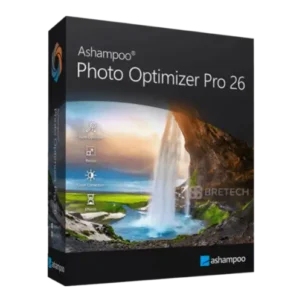
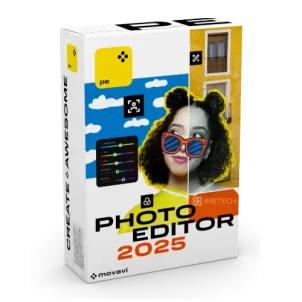
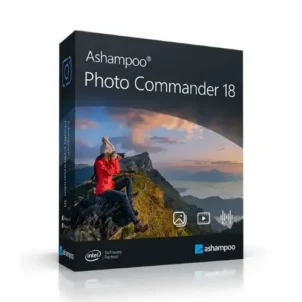
Photo Editing Software in Pakistan for AI Retouching and Photo Management
Photo editing software makes it easy to enhance social posts, product images, portraits, and professional shoots by improving colour, refining retouching, sharpening detail, and exporting at the right size and format. The best photo editor tools handle quick fixes and advanced edits for DSLR and high-resolution files without reducing image quality.
Poor tools or pirated copies can cost you time and money through crashes, disabled exports, watermarks, or failed activation. Many new users also buy oversized bundles that slow their system and include features they never use.
BreTech is an authorised reseller offering PKR pricing, fast email delivery for most orders, local payment methods, and local support. Purchase genuine software with a valid licence, activation key, and setup assistance. Trials are helpful to test features but often come with time limits, watermarks, or restricted functionality.
Choose the Right Photo Editing Tools in Pakistan
| Your Need | What to Look For | Why It Helps |
|---|---|---|
| Quick improvements for blurry or dull photos | One-click enhance, auto colour, sharpen | Fast fixes without learning advanced editing |
| Portrait retouching for clients | Skin smoothing, background tools, brushes | Cleaner results with controlled edits |
| Social media and product images | Resize, batch export, templates | Saves time and keeps output consistent |
| Managing large photo folders | Photo organiser, tagging, duplicate tools | Faster search and less storage waste |
| Protecting images you share | Watermark tools, batch watermark | Adds ownership marks at scale |
Browse Photo Editor Software by Type in Pakistan
Choose the type based on how you work, whether you need full photo editing, quick AI fixes, or simple watermark tools.
- Photo: Start here to compare photo editing, enhancers, and watermark tools in one place.
- Photo Enhancers & Utilities: One-click improvements, AI touch-ups, and quick fixes for everyday photos.
- Photo Watermark: Add logos or text marks to protect images shared online.
If you also create video content, you can browse Video for related editing and export tools.
Compare Photo Editing Software Options in Pakistan
Before you buy photo editing software in Pakistan, compare these points so you pick the right fit for your workflow, image quality needs, and export formats:
- Editing style: Simple one-click tools are faster, while manual tools give more control.
- AI features: Useful for fast touch-ups, but results can vary by photo.
- Batch processing: Helpful for e-commerce images, wedding shoots, and large folders.
- Export options: Check image quality, crop and resize settings, and formats such as JPEG, PNG, WebP, or TIFF for web or print.
- Photo management: Albums, tags, duplicate finding, and quick sorting save time.
- License and updates: Official license, activation key, and renewal or upgrade path depend on the brand.
- Digital delivery: Most licenses are delivered by email, so setup can start faster.
A simple rule: if you want speed, start with a simpler editor. If you edit client or DSLR photos often, choose a tool with more control.
Upscale and Improve Image Quality in Pakistan
Photo editing software does more than basic edits: it can upscale low-res images, sharpen details, enhance colours, reduce noise, and clean photos for personal, business, or creative use—ideal for old images, product shots, portraits, and social visuals.
Some users prefer one-click photo optimizers; others need AI editors or retouching tools. For large image collections, photo management with built-in editing saves time and keeps files organised.
Look for tools supporting enhancement, retouching, upscaling, colour correction, sharpening, and clean export settings for web or print.
How to Choose the Right Photo Editing Software
Different users need different features. Pick the option that matches your daily work, editing style, and the level of control you want.
- Students: Start with an easy-to-use editor that exports clean images for assignments and portfolios.
- Freelancers: Choose tools that save time, such as batch export and quick retouch options.
- Photographers: Focus on detail tools, colour control, and a workflow that matches your camera output.
- Online sellers: Prioritise resize, background cleanup, and consistent export presets.
- Office teams: Pick an easy editor for reports, posters, and basic image cleanup.
Photo Editing Options Available at BreTech
These featured options cover different needs, from quick photo enhancement and AI retouching to beginner editing and photo management.
- Ashampoo Photo Optimizer: One-click enhancements for quick improvements.
- Luminar Neo Desktop: AI-based editing and retouching features for faster photo improvement.
- Movavi Photo Editor: Beginner-friendly editing with a simple workflow.
- Ashampoo Photo Commander: Photo management plus editing tools in one suite.
For a simple start, compare beginner-friendly and one-click options first. For stronger AI features or built-in photo management, look at the more advanced options.
Common use cases:
- Portrait work: Clean skin edits and background tidy-ups without over-editing.
- E-commerce images: Resize, batch export, and keep a consistent look for product listings.
- Social content: Fast edits for thumbnails, posts, and ads with proper export sizes.
- Family photos: Quick fixes, better colour, and simple organising for albums.
Why Buy from BreTech
Buying genuine software matters when you want cleaner activation, reliable updates, and fewer setup problems.
- Official licenses: Vendor-verified activation keys and clearer licensing.
- Genuine software: Safer setup and a more reliable update path.
- PKR pricing: Easier comparison and budgeting in Pakistan.
- Fast email delivery: Most orders are delivered by email.
- Local support: Help with choosing, setup, and activation.
- Invoice help: Useful for teams or business purchases when needed.
This makes it easier to compare options, buy with confidence, and get help if you need support after purchase.
“I needed a simple editor for product photos. The license arrived by email, and setup was smooth.”
Shop Top Brands
These brands cover simple editing, AI tools, and creative photo workflows.
- Ashampoo: Simple image tools and photo management options.
- Skylum: AI-assisted editing tools for modern workflows.
- Movavi: Beginner-friendly editors and creative utilities.
- Wondershare: Creative software for editing and content work.
Compare these brands by ease of use, editing style, and the features you need most.
Learn More
These guides can help you compare features, editing styles, and pricing before you choose the right photo editing software.
- Top AI Photo Editors in Pakistan: Explore AI-based tools for faster touch-ups and quick improvements.
- Best Photo Editing Software for Photographers: Review options for DSLR photos, portraits, and more detailed editing work.
- Photo Editing Software Pricing Guide in Pakistan: Compare pricing, license types, and common features before you buy.
Browse more photo editing guides to compare tools, features, and pricing before you buy.
FAQs
What is the best photo editing software price in Pakistan?
What is image editing software price in Pakistan?
Are these photo editors one-time purchase or subscription?
Which photo editor is best for beginners?
Which option is best for AI photo editing and retouching?
Do these photo editors support filters, blur, and basic retouching?
Do these tools work on Windows and Mac?
Is there a free version or trial before I buy?
How fast will I receive my license after payment?
Can I pay in PKR with local payment options?
Can I buy a photo editor in Pakistan?
Is the license genuine and safe to activate?
Start Editing with Official Photo Software in Pakistan
Pick your main need first, such as quick enhancements, full retouching, or photo management. Then compare features, pricing, and license terms to buy the official option that fits your workflow.
Disclaimer
Features, editions, and pricing can change. Please confirm the latest details on the product page before ordering.