Abdul Basit
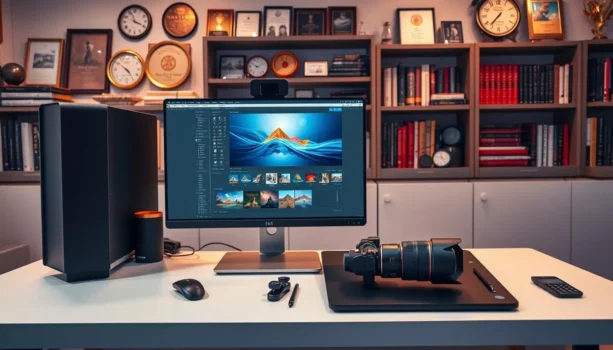
Choosing the best photo editing software for photographers in Pakistan depends on your workflow, the type of photos you shoot, and how much editing control you need. Wedding, portrait, product, and event photographers often work with very different file volumes, editing tasks, and delivery requirements.
The right software should help with the work that takes the most time, whether that is RAW editing, retouching, photo organization, batch processing, or quick image fixes. It should also match your Windows or macOS system and the way you prefer to buy software.
Pakistan buyers can browse Photo Editing Software at BreTech to compare genuine license options, PKR pricing, and available tools before choosing.
Key Takeaways
- Choose Luminar Neo if you want RAW editing with AI-assisted tools for portraits, lighting, skies, masking, and creative adjustments.
- Choose Adobe Lightroom if you need RAW editing, photo organization, presets, and an efficient workflow for large photo shoots.
- Choose Movavi Photo Editor if you want easier photo editing, portrait improvements, background changes, and object removal.
- Choose Ashampoo Photo Commander if organizing, finding, renaming, converting, and batch-processing large Windows photo collections is your main problem.
- Choose Adobe Photoshop if you need detailed retouching, layers, masks, compositing, and precise image manipulation.
- You do not always need one program to do everything. Some photographers use one tool for photo organization and another for advanced editing.
Best Photo Editing Software for Photographers in Pakistan
The products below solve different photography problems. Instead of choosing only by the number of features, look at what each application does best and how it fits your daily work.
1. Luminar Neo: Best for AI-Assisted Creative Photo Editing
Luminar Neo is a photography-focused editor for Windows and macOS that combines normal editing controls with a large range of AI-assisted tools.
Skylum provides tools for tasks such as sky adjustments, relighting, portrait work, masking, layers, RAW editing, presets, and removing unwanted elements. Luminar Neo can work as a standalone editor and can also fit into workflows that use Lightroom Classic or Photoshop.
This makes it useful for portrait, landscape, travel, wedding, and creative photographers who want to reduce time spent on repetitive selections and manual adjustments.
Luminar Neo is a good fit when you want to:
- Edit RAW photos
- Improve lighting and exposure
- Retouch portraits
- Adjust or replace skies
- Work with layers and masks
- Remove unwanted objects
- Apply reusable presets
- Make creative adjustments faster
Its main strength is not simply the use of AI. The software combines AI assistance with normal editing controls, allowing photographers to save time while still adjusting the final result.
Best for: Portrait, landscape, travel, wedding, and creative photographers who want AI-assisted editing with RAW support.
If you are deciding between Luminar Neo and Adobe Lightroom, read our Luminar Neo vs Lightroom comparison to compare AI editing, RAW workflow, photo management, pricing, and license options.
If you want to compare other products from the same publisher, browse Skylum software at BreTech.
2. Adobe Lightroom: Best for RAW Editing and Photography Workflow
Adobe Lightroom is built around the photography workflow, from organizing photos to editing and preparing them for delivery.
Lightroom is especially useful for photographers who handle large numbers of images. Its workflow can include ratings, albums or collections, keywords, search, RAW processing, exposure and color adjustments, presets, and repeated edits across groups of photos.
That matters because professional photography does not end after improving one image. After a wedding, event, portrait session, or product shoot, you may need to review hundreds or thousands of files, select the strongest images, apply consistent corrections, and prepare the final set for delivery.
Lightroom makes the most sense for photographers who regularly work with:
- RAW camera files
- Weddings and events
- Portrait sessions
- Product photography
- Travel photography
- Large photo libraries
- Preset-based workflows
- Repeated adjustments across many images
Lightroom also uses non-destructive editing, so adjustments do not permanently replace the original photo data.
Photographers who also need Photoshop can compare the Adobe Creative Cloud Photography Plan 1TB, which is designed around a broader photography workflow.
Best for: Professional and high-volume photographers who need RAW editing, photo organization, consistent processing, and an efficient workflow across complete shoots.
You can also browse Adobe software at BreTech if you need to compare Adobe photography and creative products.
3. Movavi Photo Editor: Best for Easy and Fast Photo Editing
Movavi Photo Editor is designed for users who want useful editing tools without the complexity of a large professional editing environment.
Movavi Photo Editor includes tools for AI-assisted enhancement, background replacement, object removal, portrait retouching, color corrections, effects, and other common editing jobs. It is available for Windows and macOS.
This makes Movavi useful for photographers and creators who need straightforward corrections rather than complex layered compositions.
Typical uses include:
- Improving portraits
- Removing distracting objects
- Replacing photo backgrounds
- Correcting color and contrast
- Preparing social media images
- Cleaning product photos
- Improving client photos
- Making quick edits without a steep learning curve
Movavi is particularly suitable for beginners, assistants, content creators, ecommerce sellers, and smaller studios where speed and ease of use matter more than advanced image manipulation.
It should not be treated as a direct replacement for every Lightroom or Photoshop workflow. Its strength is making common photo-editing jobs easier.
Best for: Beginners, freelancers, content creators, and photographers who want simple AI-assisted editing.
If you work with both photos and video, the Best Software Tools for YouTubers and Vloggers guide can help you compare other tools for a wider content-creation workflow.
You can also browse Movavi software at BreTech for related creative tools.
4. Ashampoo Photo Commander: Best for Organizing Large Photo Collections
Ashampoo Photo Commander serves a different purpose from most of the editors in this guide.
Ashampoo positions Photo Commander as an all-in-one Windows application for viewing, editing, and organizing photos. Its tools include photo organization, tags, duplicate detection, metadata, batch conversion, batch renaming, RAW support, slideshows, collages, and other image-management features.
This difference is important.
If your biggest problem is advanced portrait retouching or detailed RAW development, another application may be a better main editor. But if your main problem is managing thousands of images stored across Windows folders, Photo Commander becomes much more useful.
For example, a photographer may need to:
- Find duplicate photographs
- Organize large image collections
- Search using metadata
- Tag important images
- Rename hundreds of files
- Convert image formats in batches
- Resize groups of photos
- Add watermarks
- Browse photos from external drives
- Create slideshows or collages
Photo Commander can handle these jobs without requiring you to treat every photo as a separate editing project.
This can be useful for event photographers with large shoots, studios with years of archived images, ecommerce sellers managing product photos, and home users with large personal collections.
Best for: Windows photographers, studios, home users, and businesses that need photo organization, duplicate management, metadata tools, batch processing, viewing, and everyday image editing.
You can browse Ashampoo software at BreTech if you want to compare Photo Commander with other Ashampoo photo and Windows tools.
5. Adobe Photoshop: Best for Advanced Retouching and Image Manipulation
Adobe Photoshop is the strongest fit in this guide when a photograph needs detailed editing rather than only general color or exposure adjustments.
Photoshop provides layers, masks, selections, retouching tools, object removal, compositing, and other controls that allow users to edit specific parts of an image.
Photoshop is particularly useful for:
- Professional portrait retouching
- Product photography
- Removing difficult objects
- Background replacement
- Detailed masking
- Layer-based editing
- Image compositing
- Advertising images
- Ecommerce product photos
- Creative image manipulation
A photographer does not always have to choose between Lightroom and Photoshop because they solve different parts of the workflow.
A common setup is to organize and make general photography adjustments in Lightroom, then move selected images into Photoshop when they need deeper retouching, masking, or compositing.
If you want similar photo-editing options without relying only on Adobe, compare the Best Adobe Photoshop Alternatives in Pakistan for Luminar Neo, Movavi Photo Editor, and Ashampoo tools.
Best for: Professional photographers, product photographers, retouchers, designers, and creative users who need precise control over individual images.
Which Photo Editing Software Is Best for Your Photography Type?
The right choice becomes clearer when you match the software to the work you actually perform.
| Photography Need | Strong Options | Why |
|---|---|---|
| Wedding and event photography | Lightroom, Luminar Neo | RAW workflow, consistent editing, presets, large shoots |
| Portrait photography | Luminar Neo, Photoshop | Portrait tools, masking, retouching |
| Landscape and travel photography | Luminar Neo, Lightroom | RAW editing, lighting, color, creative adjustments |
| Product photography | Photoshop, Lightroom | Detailed cleanup plus organized workflow |
| Beginner photo editing | Movavi Photo Editor | Easier editing and AI-assisted corrections |
| Large Windows photo collections | Ashampoo Photo Commander | Organization, duplicates, metadata, batch tools |
| AI-assisted creative editing | Luminar Neo | AI lighting, portrait, sky, masking, and creative tools |
| Detailed professional retouching | Photoshop | Layers, masks, selections, and precise editing |
| Batch file organization and conversion | Ashampoo Photo Commander | Batch rename, conversion, and photo-management tools |
These are not strict rules. A wedding photographer, for example, may use Lightroom for the main shoot, Photoshop for selected portraits, and another tool for specialized work.
The important point is to avoid buying software based only on feature counts. Match the application to the problem that takes the most time in your workflow.
Photo Editing vs Photo Management: What Is the Difference?
Photo editing and photo management overlap, but they solve different problems.
Photo editing software answers: “How do I improve this photograph?”
Typical editing work includes exposure correction, color adjustments, portrait retouching, masking, object removal, background work, sharpening, and creative effects.
Photo management software answers: “How do I find and manage all of my photographs?”
Management can include sorting, rating, tagging, metadata, duplicate detection, collections, searching, renaming, and batch file operations.
This explains why Lightroom and Ashampoo Photo Commander can both help with photo organization while still serving different buyers.
Lightroom combines photo organization with a photography-focused RAW editing workflow. Photo Commander places more emphasis on general Windows image management, viewing, duplicate searching, metadata, and batch file operations.
Photoshop sits further toward the editing side. Its main strength is deeper work on individual images rather than managing a complete photography archive.
For buyers, understanding this difference can be more useful than asking which application has the longest feature list.
What Features Should Photographers Look For?
Before buying photography software, check whether its strongest features match your real workflow.
RAW File Support
RAW support matters if you regularly shoot in your camera’s RAW format.
RAW files keep more original image information than a finished JPEG, giving photographers more room to adjust exposure, color, highlights, shadows, and white balance.
Camera support can change as new models are released, so confirm that your specific camera and RAW format work with the software before buying.
Photo Organization
Organization becomes more important as your photo library grows.
A few hundred photographs may be easy to manage with normal folders. Tens of thousands of images are easier to handle when software provides ratings, albums, catalogs, tags, metadata, duplicate detection, or search.
Lightroom and Photo Commander both help with organization, but they have different workflow priorities.
Batch Processing
Photographers often repeat the same task across many files.
Batch processing can help with resizing, renaming, converting, applying repeated adjustments, or preparing many photos for a client, website, catalog, or archive.
Photo Commander includes dedicated batch file tools, while Lightroom is useful for applying consistent photography adjustments across groups of images.
AI-Assisted Editing
AI can reduce repetitive manual work, but the important question is not whether software has AI. The important question is what the AI helps you do.
Luminar Neo uses AI-assisted tools for areas such as lighting, portraits, skies, masking, and image cleanup. Movavi provides AI-assisted tools for photo enhancement, object removal, background replacement, and portrait retouching. Adobe also includes AI-assisted features across Lightroom and Photoshop.
If AI tools are one of your main buying reasons, read the Best AI Photo Editors in Pakistan comparison before choosing.
Choose AI features that solve real editing problems rather than buying software only because “AI” appears in the product description.
Masks and Detailed Retouching
Masks allow photographers to change one part of an image without applying the same adjustment everywhere.
This is useful for portraits, product photography, commercial work, and creative compositions.
Photoshop provides extensive layer and masking controls, while Luminar Neo also supports layers and masking for more targeted adjustments.
Windows and macOS Compatibility
Do not assume every photo application supports every operating system.
Luminar Neo and Movavi Photo Editor support Windows and macOS, while Ashampoo Photo Commander is focused on Windows.
Also check RAM, graphics, storage, and supported operating-system versions before buying, especially if you work with high-resolution RAW files.
One-Time License vs Subscription Photo Software
License type can affect long-term cost and workflow, but it should not be the only reason you choose an editor.
Adobe Lightroom is sold through subscription plans, including photography options that combine Lightroom and Photoshop.
Other photography applications may offer perpetual, lifetime, annual, or different plan options depending on the current publisher terms.
A subscription can make sense if you depend on a continuously updated software ecosystem, cloud services, or several connected applications. A perpetual license can make more sense when one desktop program already covers your needs and you prefer a one-time purchase.
Always check the exact license, included upgrades, supported devices, and current product terms before ordering because publishers can change plans over time.
Can You Use More Than One Photo Editing Program?
Yes. Using two applications can sometimes create a better photography workflow than expecting one program to handle every job.
For example:
- Lightroom can organize and process a complete shoot.
- Photoshop can handle selected images that need advanced retouching.
- Luminar Neo can add AI-assisted creative editing tools.
- Photo Commander can help Windows users organize and batch-process larger image collections.
The goal should not be to collect as many applications as possible. Add another program only when it solves a real problem that your main editor does not handle well.
Where to Buy Photo Editing Software in Pakistan
For paid photography software, check the exact edition, operating system, license term, and activation requirements before ordering.
BreTech provides genuine photo editing software license options for Pakistan buyers with PKR pricing, local payment options, digital delivery on most orders, activation guidance, and invoice support where required.
If you are unsure which editor fits your work, start with your main requirement:
- Choose Luminar Neo for AI-assisted creative photography.
- Choose Adobe Lightroom for RAW editing and an organized photography workflow.
- Choose Movavi Photo Editor for easier everyday editing.
- Choose Ashampoo Photo Commander for Windows photo organization and batch processing.
- Choose Adobe Photoshop for detailed retouching and image manipulation.
This is more useful than choosing only by price or buying the application with the most advertised features.
Which Photo Editing Software Offers the Best Value?
There is no single best photo editor for every photographer.
Luminar Neo offers strong value when AI-assisted creative editing, RAW support, layers, masks, portraits, and landscape work are important.
Adobe Lightroom is a stronger choice when photography is an ongoing workflow involving RAW files, large shoots, organization, presets, and consistent processing.
Movavi Photo Editor makes sense when ease of use matters more than advanced professional controls.
Ashampoo Photo Commander is particularly useful when your main challenge is managing large Windows photo collections, finding duplicates, handling metadata, and processing many files efficiently.
Adobe Photoshop is worth considering when detailed retouching and image manipulation are central to your work.
The best value is not always the lowest-priced program. It is the application that removes the biggest bottleneck from the type of photography work you perform most often.
Conclusion
The best photo editing software for photographers in Pakistan depends on whether your main priority is RAW workflow, AI-assisted editing, photo organization, easy corrections, or advanced retouching.
Luminar Neo is a strong option for creative AI-assisted photography. Lightroom is better suited to photographers who need an organized RAW workflow across large shoots. Movavi Photo Editor keeps everyday editing simpler. Ashampoo Photo Commander is useful for Windows users managing large photo collections and batch operations, while Photoshop provides deeper control for detailed retouching and image manipulation.
For more buying guides and software comparisons, browse the Photo Editing Guides at BreTech.
Start with the job that takes the most time in your current workflow, then choose the software built to solve that problem.