 Abdul Basit
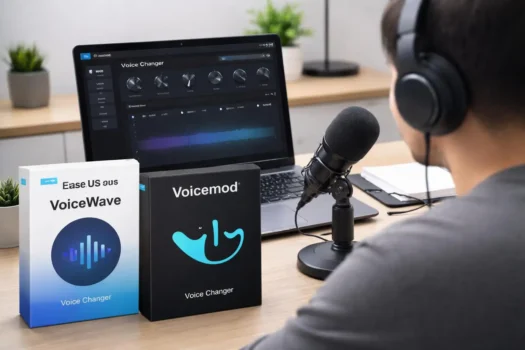
EaseUS VoiceWave and Voicemod are both real-time AI voice changers, but they suit slightly different users. VoiceWave is a Windows-focused option that combines live voice effects, soundboards, noise reduction, recording, and file-based voice changing. Voicemod has a stronger gaming and community ecosystem, supports Windows and macOS, and offers a large collection of voices, soundboards, and customization tools.
For gamers, Discord users, streamers, and content creators, either tool can change microphone audio while you speak. If you want to compare these two with other alternatives first, see our best real-time voice changer software for PC guide.
Your better choice depends on the platform you use, the type of AI voices you want, how much you use soundboards, whether you need custom voice tools, and whether the free version is enough.
Pakistan buyers who want to explore related software can browse Audio & Music software in Pakistan. BreTech sells EaseUS VoiceWave from the two products compared in this guide; Voicemod is included as a competitor so buyers can make a fair decision.
EaseUS VoiceWave vs Voicemod: Quick Comparison
| Feature | EaseUS VoiceWave | Voicemod |
|---|---|---|
| Best fit | Windows users, AI voice effects, recording, live voice changing | Gaming, Discord, streaming, soundboards |
| Real-time voice changing | Yes | Yes |
| AI voices | Yes | Yes |
| Soundboard | Yes | Yes |
| Custom voice tools | Yes | VoiceLab with PRO |
| Noise reduction | Yes | Yes |
| Free version | Yes | Yes |
| Windows | Windows 10/11 | Windows 10/11 |
| macOS | Not currently listed for desktop | Yes |
| OBS / streaming use | Yes | Yes |
| Main advantage | Wider mix of voice and audio tools | Larger gaming and customization ecosystem |
Buyer note: BreTech sells EaseUS VoiceWave. Voicemod is included as an independent alternative for comparison and is not presented as a BreTech product.
What Is a Voice Changer and Why Do You Need One?
A voice changer processes your microphone audio so other people hear a modified voice instead of your normal voice. Real-time voice changer software does this while you speak, which makes it useful for Discord, gaming, live streaming, role-playing, online meetings, and other live voice chat situations.
Modern AI voice changers can do more than simple pitch shifts. Depending on the software, they can combine AI voices, filters, sound effects, noise reduction, soundboards, and custom voice controls to create different voice transformations.
How Does Real-Time AI Voice Changer Software Work?
A real-time voice changer normally sits between your physical microphone and the app you are using. It receives the microphone input, applies the selected voice effect or AI processing, and passes the changed audio to a game, chat app, or streaming program through a virtual microphone or virtual audio device.
Traditional effects may change pitch, echo, reverb, distortion, or tone. AI-powered effects can make broader changes to the voice, although the exact technology and output vary between products. This is why two real-time voice changers can serve the same basic purpose while producing different results.
Who Uses Voice Changers for Gaming, Streaming, and Content Creation?
Gamers can use a voice changer for role-playing, in-game voice chat, or creating a different online character. Discord users can apply the same effects during live conversations, while streamers may combine changed voices with soundboards to add reactions, characters, or other audio elements to a broadcast.
Content creators can also use voice-changing tools for voiceovers and recorded content. VoiceWave goes beyond live microphone use by supporting voice modification for existing audio and video files, while Voicemod is more strongly centered on live gaming, chat, and streaming workflows.
EaseUS VoiceWave: Features, AI Voices, and Performance
EaseUS VoiceWave combines real-time voice changing with recording, noise reduction, sound effects, and file-based audio tools. It is currently designed for Windows 10 64-bit and Windows 11, making it mainly relevant to PC users rather than Mac users.
EaseUS lists more than 100 real-time voice-changing effects in the paid version. The software also provides soundboard features, custom voices, noise reduction, recording, and support for changing voices in existing audio and video files.
You can also explore other EaseUS software available from BreTech if you already use EaseUS products.
Real-Time Voice Changing with EaseUS VoiceWave
VoiceWave changes microphone audio while you speak, so the effect can be heard during gaming, voice chat, streaming, or online calls. You choose an effect inside VoiceWave and route the modified microphone input into the app or game you want to use.
It can also process recorded audio and supported video files. That gives VoiceWave a broader workflow than a tool used only for live voice chat, especially for creators who sometimes need real-time effects and sometimes work with recorded content.
Voice Cloning and AI-Powered Voice Features
EaseUS currently uses the name Voice Clone for a feature that lets users create or tweak custom voices with audio effects. Its current VoiceWave tools also include controls for adjusting voices with effects such as reverb, delay, and other voice-processing options.
This should not be confused with assuming VoiceWave can perfectly copy any real person’s voice. For buyers, the more useful question is whether its custom voices and AI effects provide the sound needed for gaming, streaming, role-playing, or content creation.
EaseUS VoiceWave Microphone Compatibility and Real-Time Performance
EaseUS currently lists an Intel i3-class multicore processor at 2 GHz or better and 4 GB RAM among the basic VoiceWave requirements. It recommends stronger hardware for heavier workflows, and Windows 10 64-bit or Windows 11 is required.
VoiceWave also includes noise reduction for unwanted background sound. This can help with microphone clarity, but results still depend on microphone quality, room noise, audio drivers, PC performance, and the other software running at the same time.
There is no standardized independent latency benchmark comparing VoiceWave and Voicemod under identical conditions. For that reason, neither product should be called faster or lower latency without direct testing.
Voicemod: Features, Presets, and Platform Support
Voicemod puts more emphasis on live gaming, Discord, streaming, soundboards, and voice customization. It works through a virtual microphone and supports Windows 10/11 as well as compatible macOS systems.
Voicemod provides a large selection of real-time voice options, including AI voices and traditional effects. It also has community content, keybind controls, soundboards, plugins, and VoiceLab for creating custom effect-based voices.
Voice Effects, Presets, and Filters in Voicemod
Voicemod includes preset voices and filters that can change pitch, reverb, delay, distortion, and other parts of your microphone sound. AI voices are also available for more complex real-time voice transformations.
Users who want deeper customization can use VoiceLab, which is part of Voicemod PRO. VoiceLab lets users combine effects such as pitch shifting, reverb, delay, and vocoder processing to create their own custom voice filters.
This gives Voicemod two main workflows: choose a ready-made voice for quick use, or build a more customized voice if you have PRO and want greater control.
Voicemod for Discord, OBS, and Gaming
Voicemod is strongly designed around gamers and streamers. Its virtual microphone can be selected inside Discord, games, OBS, and other programs, allowing the processed voice to replace the normal microphone input.
Keybinds also let users switch voices or trigger soundboard clips without leaving a game or stream. Voicemod works with gaming and communication platforms such as Discord, Roblox, Valorant, Fortnite, Zoom, and other apps that support microphone input.
Voicemod Noise Reduction and Low-Latency Voice Changing
Voicemod is designed for real-time microphone processing and includes voice-enhancement and noise-control features. Its system requirements list 4 GB RAM as a minimum and 8 GB as recommended, while heavier gaming, streaming, Discord, and AI voice use can require more system resources.
AI voices can also require compatible processor features. Users with older hardware should therefore check system requirements before choosing Voicemod mainly for its AI voices.
EaseUS VoiceWave vs Voicemod: Head-to-Head Comparison
VoiceWave and Voicemod both cover live voice changing, AI voices, soundboards, and customization, but Voicemod leans more toward gaming and community features while VoiceWave combines voice changing with a wider set of audio tools.
Neither product should be treated as the universal winner. The better option depends on the job you want it to do.
Voice Cloning and AI Voices: How Do Their Approaches Differ?
VoiceWave uses its Voice Clone and custom voice tools to let users create or adjust voices with multiple effects. It also provides preset AI voice effects for users who do not want to build a voice manually.
Voicemod combines its preset and AI voice library with VoiceLab. VoiceLab focuses on building custom voices by layering audio effects and filters rather than following exactly the same voice-cloning workflow used by VoiceWave.
For buyers, this means the products should be compared by actual output and workflow rather than by the words “AI” or “voice cloning” alone.
Real-Time AI Performance: Latency and Workflow Differences
Both programs can process microphone input while you speak. VoiceWave is built around its Windows voice-changing workflow, while Voicemod routes the changed voice through its virtual microphone into supported games, chat programs, and streaming software.
Neither product has a standardized independent latency benchmark directly comparing the two under identical conditions. Your CPU, RAM, microphone, audio driver, game, OBS setup, and other running apps can all affect real-time performance.
Test the free version on your own PC before making latency the deciding factor.
Voice Effects and Customization: Which Gives You More Control?
VoiceWave provides presets, custom voice tools, AI voice effects, noise reduction, and additional audio functions such as recording and file-based voice changing. This can suit users who want one app for both live and recorded voice workflows.
Voicemod gives users a large selection of live voices and sound effects, while VoiceLab adds deeper manual control for PRO users. The ability to stack and adjust effects makes it especially interesting for gamers and creators who enjoy designing custom voice filters.
VoiceWave may fit better if you value a wider audio-tool workflow. Voicemod may fit better if deep live voice customization is one of your main priorities.
Soundboard Features: EaseUS VoiceWave vs Voicemod
Both products include soundboard features. VoiceWave combines its soundboard with real-time voice changing and provides sound presets and effects for live use.
Soundboards are a major part of the Voicemod ecosystem. Free users have more limited soundboard access, while PRO expands the available controls and content. Clips can also be assigned to keybinds for quick use while gaming or streaming.
If you use soundboards heavily during live gaming or streams, Voicemod’s soundboard workflow deserves particular attention.
Platform Compatibility: Voice Changer for PC and Windows
VoiceWave currently supports Windows 10 64-bit and Windows 11. Its current desktop requirements do not list a macOS edition.
Voicemod supports Windows 10/11 and compatible macOS systems. Requirements vary by platform, and some AI features may need additional processor support.
For Windows users, both are options. For Mac users, Voicemod has the clear compatibility advantage.
Which Is Easier to Set Up and Use?
The basic workflow is similar. Install the program, choose your physical microphone, select a voice effect, and route the changed microphone into Discord, OBS, a game, or another compatible app.
VoiceWave may appeal to someone who wants a Windows-focused tool with real-time voices, recording, noise reduction, and file editing in the same program. Voicemod gives users more gaming integrations, community content, and advanced customization, but those extra options also mean there is more to explore.
Ease of use is partly personal, so neither product should be called universally easier without testing both.
EaseUS VoiceWave vs Voicemod Pricing: Free and Paid Options
Both products let users start for free, but the paid versions remove important limits. The main decision is not simply which costs less; it is whether the features locked behind the paid plan are features you will actually use.
Pricing and promotions can change, so this guide focuses on plan differences rather than hard-coding international prices.
EaseUS VoiceWave Pricing and Free Options
VoiceWave currently has free and paid access. The free edition provides a more limited set of voice effects and features, while paid access unlocks a much broader range of real-time and advanced effects.
Paid VoiceWave also adds functions such as changing voices in supported audio and video files, voice recording, additional export options, updates during the applicable plan, and technical support.
For a closer look at the edition differences, see EaseUS VoiceWave Free vs Pro.
Voicemod Free vs Paid Plan
Voicemod Free gives users limited access to the voice library and soundboard features. The free experience is suitable for testing the software, but it does not unlock the full set of voices and customization tools.
Voicemod PRO expands access to the voice library, soundboards, PRO content, and VoiceLab. This makes the paid version more relevant to users who want consistent access to specific voices or deeper customization.
What Features Do the Paid Versions Unlock?
The main paid benefits can be summarized like this:
- VoiceWave paid version: more real-time voice effects, additional advanced effects, recorded file voice changing, recording, and broader audio features.
- Voicemod PRO: expanded voice access, broader soundboard features, VoiceLab, and additional PRO content.
- Both: make more sense for regular users than for someone who only experiments with voice effects occasionally.
Which Paid Voice Changer Gives You the Features You Need?
Choose based on what is actually behind the paywall.
If you need VoiceWave’s recording, file-based voice processing, noise reduction, and wider audio workflow, its paid version may make sense. If your priorities are a large live voice library, soundboards, and custom voice creation through VoiceLab, Voicemod PRO may be the better fit.
There is little reason to pay for either product until you know which locked features you will actually use.
Best Use Cases: Gaming, Streaming, and Online Meetings
Both tools can handle gaming and live communication, but Voicemod is more deeply centered on gaming integrations while VoiceWave combines gaming features with broader audio tools.
Your main app or workflow should guide the choice.
Which Is Better for In-Game Voice Chat and Discord?
For Discord and in-game voice chat, both products are suitable. VoiceWave supports real-time voice changing and custom voices for communication and gaming apps, while Voicemod is strongly built around Discord, games, keybinds, soundboards, and live voice switching.
Voicemod has an advantage for users whose main priority is a gaming-first ecosystem. VoiceWave remains a strong alternative for Windows users who also want recording, noise reduction, and file-based voice tools.
Which Is Better for Streaming and OBS?
Streamers usually need more than a fun voice. They need real-time microphone processing that can run alongside OBS, a game, Discord, and other software without disrupting the broadcast.
Both VoiceWave and Voicemod support streaming workflows. Voicemod’s keybinds and soundboard controls make it particularly useful for creators who change voices or trigger sounds frequently during a live stream. VoiceWave may appeal more to creators who also need to record, process, or export audio outside the live stream.
Using a Voice Changer for Zoom and Google Meet
Voice-changing software can also work outside gaming when an app accepts the changed virtual microphone input. This can include platforms such as Zoom, Google Meet, and other online communication tools.
For normal business meetings, changing your voice is usually not the main reason to buy either product. Noise reduction and microphone processing may be more useful in that setting than character voices or soundboard effects.
Voiceovers and Content Creation with a Virtual Microphone
VoiceWave has an advantage for creators who work with both live and recorded audio because it can modify existing supported audio and video files as well as process a live microphone.
Voicemod is particularly useful when the voice transformation happens live, such as during gaming videos, live streams, Discord content, or character-based broadcasts. Its VoiceLab and soundboards add more creative controls for users who spend most of their time in real-time workflows.
Which Voice Changer Should You Choose: EaseUS VoiceWave or Voicemod?
Choose based on your main workflow rather than looking for one universal winner.
Both products can change your voice in real time, but their strongest use cases are different.
Choose EaseUS VoiceWave If…
EaseUS VoiceWave is worth considering if you:
- use a Windows PC;
- want live voice changing plus recorded audio or video processing;
- need built-in noise reduction;
- want a soundboard together with AI voice effects;
- create both live and recorded content; or
- want to purchase a genuine license locally in Pakistan.
Its wider mix of audio tools makes it useful for someone who does not want their voice changer to be limited only to live gaming.
Choose Voicemod If…
Voicemod is worth considering if you:
- mainly use a voice changer for gaming or Discord;
- want a large live voice ecosystem;
- use soundboards heavily;
- want VoiceLab for custom effect-based voices;
- use gaming or streaming integrations;
- need macOS support; or
- prefer a gaming-first community ecosystem.
Voicemod is especially well positioned for users whose voice-changing workflow stays live most of the time.
Which Is Better for Beginners?
Both products have free access, so beginners do not need to decide only from specifications.
VoiceWave may be easier to evaluate if you specifically want its Windows audio-tool workflow. Voicemod Free is useful for testing its gaming setup, voices, and soundboard workflow before deciding whether its paid features are necessary.
The better beginner choice is the one that works smoothly with your microphone, PC, and main apps.
Where Can You Buy EaseUS VoiceWave in Pakistan?
If VoiceWave fits your needs, you can buy EaseUS VoiceWave in Pakistan from BreTech.
BreTech offers genuine EaseUS licensing with PKR pricing, local payment options, digital delivery, activation assistance, and invoice support.
The current VoiceWave product page is the best place to check available license options and PKR pricing because software plans and promotions can change.
BreTech does not sell or represent Voicemod in this comparison. Voicemod is included so buyers can compare a major competitor before choosing VoiceWave.
Final Verdict
Choose EaseUS VoiceWave if you want a Windows-focused real-time AI voice changer that also includes noise reduction, recording, file-based voice changing, and a local buying option in Pakistan.
Voicemod is a strong alternative if gaming, Discord, live soundboards, community voices, deeper customization, and macOS support matter more. Its paid version is particularly relevant to users who want wider voice access, more soundboard options, and VoiceLab.
There is no universal winner between EaseUS VoiceWave and Voicemod. Test the free versions with your own microphone, PC, Discord or OBS setup, and preferred voice effects first. Then pay for the product whose workflow and locked features solve the needs you actually have.