 Abdul Basit
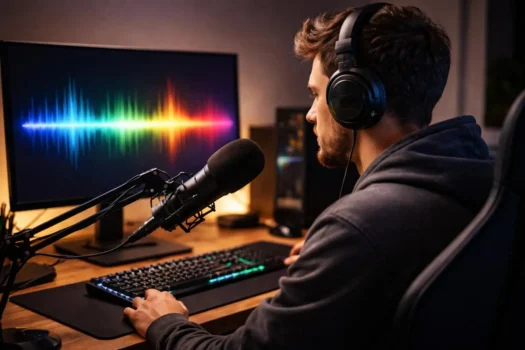
A real-time voice changer changes your microphone audio while you speak, letting you use different voices and effects during gaming, Discord chats, live streaming, role-playing, online calls, and content creation.
For PC users, the best choice depends on what you need most. EaseUS VoiceWave combines real-time voice effects, a soundboard, and noise reduction; Voicemod is a strong choice for gaming and Discord; Voice.ai focuses more on AI voice transformation; MagicMic combines AI voices with sound effects; and Voxal suits users who prefer traditional voice filters and customization.
For buyers in Pakistan, BreTech offers EaseUS VoiceWave with PKR pricing and local purchase support. You can also browse the broader Audio & Music software collection.
Best Real-Time Voice Changers for PC at a Glance
| Software | Best Fit | Real-Time Voice | Soundboard | Free Option | Desktop Platform |
|---|---|---|---|---|---|
| EaseUS VoiceWave | Gaming, Discord, streaming, and AI voice effects | Yes | Yes | Yes | Windows |
| Voicemod | Gaming, Discord, streaming, and soundboards | Yes | Yes | Yes | Windows, macOS |
| Voice.ai | AI-based voice transformation | Yes | Not the main focus | Yes | Windows |
| MagicMic | Gaming, streaming, AI voices, and sound effects | Yes | Yes | Yes | Windows, macOS |
| Voxal Voice Changer | Traditional voice effects and customization | Yes | Not the main focus | Free for non-commercial home use | Windows, macOS |
Buyer note: BreTech sells EaseUS VoiceWave from the products compared in this guide. Voicemod, Voice.ai, MagicMic, and Voxal are included as alternatives for comparison and are not BreTech products.
These tools all change microphone audio in real time, but they are not designed around exactly the same priorities. A large AI voice library may matter to one user, while another may care more about Discord support, soundboard controls, microphone quality, or how smoothly the software works on their PC.
1. EaseUS VoiceWave: Real-Time AI Voice Changer for PC
EaseUS VoiceWave is a Windows-focused real-time voice changer designed for gaming, voice chat, calls, and streaming. It supports current Windows systems and combines live voice effects with voice customization, noise reduction, recording tools, and soundboard features.
VoiceWave is also the product in this comparison available directly from BreTech. This makes it particularly relevant for Pakistan buyers who want a genuine paid license with PKR pricing, local payment options, digital delivery, invoice support, and activation help.
Real-Time Voice Effects, AI Voices, and Soundboard
VoiceWave processes your microphone audio as you speak, so you can use a changed voice during a game, Discord conversation, or live stream without recording the audio first. EaseUS lists more than 100 real-time voice effects, giving users a range of options for gaming, role-playing, online chat, and content creation.
The software also includes a soundboard for playing audio clips and effects during live use. Voice customization gives users more control over how the output sounds, while noise reduction can help limit unwanted background sound before the modified voice reaches another app.
Actual voice quality still depends on your microphone, room noise, PC hardware, and settings. A good microphone and clean input signal can make a noticeable difference regardless of which voice-changing software you choose.
Best for Gaming, Discord, Chat, and Live Streaming
VoiceWave is designed for gamers, streamers, content creators, and people who want to change their voice in communication apps. It can fit workflows involving Discord, games, Steam, and live-streaming software that accepts microphone input.
Its combination of real-time voice effects, AI voice features, soundboard tools, and microphone processing makes it a practical option for Windows users who want several voice-changing functions in one app. Buyers who prefer purchasing locally can also get the paid license through BreTech rather than relying only on an international checkout.
You can browse other EaseUS software available in Pakistan if you already use EaseUS products.
2. Voicemod: Popular Real-Time Voice Changer for Gamers and Streamers
Voicemod is strongly focused on gaming, Discord, live streaming, voice effects, and soundboards. Its desktop software works by creating a virtual microphone that sends the modified voice to compatible games, communication apps, and streaming software.
Voicemod lists more than 200 built-in voices, along with community-created voices and customization options. Its strong gaming focus makes it one of the more recognizable alternatives for users who want to change their voice while playing or chatting online.
Voice Filters, Soundboard, and Real-Time Voice Changing
Voicemod combines real-time voice filters with a customizable soundboard. Users can adjust pitch and other voice characteristics, switch between preset voices, trigger sound effects, and use shortcuts while gaming or streaming.
The soundboard is a major part of the Voicemod experience because it lets users play audio clips through the same voice-chat setup. This can be useful for streamers, Discord users, and gamers who regularly use sound effects alongside live voice changing.
Voicemod has both free and paid access, but the free version does not provide the same range of voices, soundboards, and customization tools as the paid edition.
If your buying decision is mainly between the first two products in this guide, the dedicated EaseUS VoiceWave vs Voicemod comparison can cover those differences in more detail.
3. Voice.ai: AI Voice Changer for PC
Voice.ai takes a more AI-focused approach to real-time voice changing. Instead of relying mainly on conventional pitch changes and audio filters, it uses AI-based processing to transform microphone input into different voices.
The software is designed for live use with games, chat applications, online meetings, and streaming workflows. This makes it more relevant to users who specifically want AI voice transformation rather than only simple sound effects.
Real-Time AI Voices and Microphone Voice Changing
Voice.ai processes the microphone input and passes the changed voice to compatible applications through a virtual audio setup. This allows users to use AI voices while speaking instead of processing a recording after the conversation or stream is finished.
Voice.ai lists 4 GB of RAM as a minimum requirement for its Windows desktop app, but minimum hardware does not mean every PC will provide the same real-time experience. AI voice processing can place additional demand on the computer, especially when a game, streaming software, and other apps are running at the same time.
Voice.ai therefore makes the most sense for users whose main priority is AI-based voice transformation. If you only need simple pitch adjustment, echo, or traditional effects, a less AI-focused voice changer may be easier to use.
4. MagicMic: Real-Time Voice Changer for Gaming and Live Streaming
iMyFone MagicMic combines AI voices, real-time voice filters, sound effects, and soundboard features. The desktop software is designed for Windows and macOS users who want to modify microphone audio during gaming, voice chat, and live streaming.
MagicMic also has mobile versions, but desktop software is more relevant for the real-time PC use covered in this guide. Users who need live microphone transformation should therefore check the desktop features rather than assuming the mobile and computer versions work in exactly the same way.
Voice Filters, Voice Effects, and Real-Time Use
MagicMic allows users to select a voice or filter and apply it while speaking. Its combination of AI voices and conventional voice effects gives users several ways to change tone and character without having to edit the audio afterward.
The built-in soundboard also supports live use. This can be helpful during gaming or streaming because sounds can be triggered without constantly leaving the main game or broadcast window.
MagicMic is worth considering if you want AI voices, voice filters, and sound effects in the same desktop application. As with the other options, performance will depend partly on your microphone, computer hardware, and the other programs running at the same time.
5. Voxal Voice Changer: Simple Voice Changer Software for PC
Voxal Voice Changer takes a more traditional approach to voice changing. Instead of making AI voice models its main feature, it focuses on applying audio effects such as pitch changes, echo, distortion, and amplification.
Voxal supports Windows and macOS, and a free version is available for non-commercial home use. This makes it different from some of the AI-focused products in this comparison.
Voice Effects and Best Use Cases
NCH Software lists more than 40 preset voice effects in Voxal. Users can also combine different effects to build customized voices instead of relying only on ready-made presets.
Voxal can process microphone audio in real time and can also apply effects to recorded audio. Because it works with applications that accept microphone input, it can be used for gaming, chat, and other voice-based activities.
Voxal is a useful option for users who want traditional real-time voice effects and manual customization without making AI voice generation a requirement. Its free home-use option also gives personal users a way to test the software before considering whether they need a commercial license.
Compare the Best Voice Changer Software for PC
VoiceWave and Voicemod provide a broad mix of real-time voice changing, gaming, and soundboard features. Voice.ai focuses more heavily on AI voice transformation, MagicMic combines AI voices with sound effects, and Voxal is better suited to users who prefer traditional voice filtering and manual customization.
The right choice still depends on real-time performance, app compatibility, free-plan limits, and the features you actually need. The number of advertised voices alone is not enough to decide which software will work best for your setup.
Real-Time Voice Quality and Low Latency
All five tools are designed to process microphone audio in real time. However, there is no single independent latency test that compares all five under the same hardware and conditions, so it would be misleading to call one product the fastest or lowest-latency option for every user.
Your PC also matters. Gaming, streaming, AI voice processing, and running other apps at the same time can increase system load and affect real-time performance. The microphone, audio drivers, virtual audio setup, and background processes can also influence the result.
If delay matters to you, test the free version using the same PC, microphone, headphones, game, and chat or streaming app you plan to use. This gives you a more useful answer than relying only on marketing claims about low or ultra-low latency.
AI Voices, Voice Filters, and Soundboards
The five products approach voice changing differently. VoiceWave combines real-time voice effects, AI voice features, customization, noise reduction, and a soundboard, while Voicemod places strong emphasis on voice filters, gaming, and soundboard use.
Voice.ai focuses more heavily on AI-based voice transformation. MagicMic combines AI voices with conventional filters and sound effects, while Voxal relies more on traditional audio processing and custom effect chains.
Think about which of these features you will actually use. A gamer who wants quick soundboard controls may have different needs from a creator who mainly wants AI voice transformation.
Gaming, Chat, and Live Streaming Support
VoiceWave, Voicemod, Voice.ai, and MagicMic all support workflows built around live microphone input, making them relevant to gaming, voice chat, and streaming. Voxal can also work with games and communication apps that accept microphone input.
Streamers should check whether the voice changer fits the software they already use, such as OBS, Twitch, Streamlabs, or another streaming setup. Gaming users should also check how the virtual microphone works with the specific game or chat system they use.
Compatibility with one app does not guarantee identical performance everywhere. Microphone permissions, audio drivers, PC load, and game settings can all affect the setup.
Free Voice Changer vs Paid Software
All five products give users some way to start without immediately purchasing the full software, but the restrictions differ. A free version can be useful for checking voice quality, app compatibility, microphone behavior, and real-time performance before spending money.
VoiceWave has a free edition, while its paid version unlocks more voice effects and features. Voicemod also limits some voices, soundboard functions, and customization in free access, while MagicMic reserves more of its voice and sound-effect library for paid users.
Voxal uses a different model because its free version is intended for non-commercial home use. If you are considering VoiceWave, test the free edition first to check voice quality, microphone compatibility, and real-time performance before deciding whether the paid version is worth it for your needs.
Windows Compatibility and Ease of Use
For PC users, operating-system support should be one of the first things to check. VoiceWave is focused on Windows, while Voicemod, MagicMic, and Voxal also provide macOS support. Voice.ai is primarily relevant here for its desktop real-time voice-changing workflow.
Ease of use depends on more than the interface. Real-time voice changers often install a virtual microphone or audio device, and you may need to select that device as the microphone input inside Discord, a game, OBS, or another app.
The setup is usually manageable, but users who have never worked with virtual audio devices may need a few minutes to configure the microphone correctly. Testing the software before a live stream or important gaming session is a good idea.
Which Real-Time Voice Changer Should You Choose?
Choose based on what you plan to do most often. Gaming, Discord, live streaming, AI voice transformation, and simple voice effects do not all require the same software, so there is no single winner for every user.
Best Voice Changer for Gaming and Discord
For gaming and Discord, Voicemod and EaseUS VoiceWave are two of the most relevant options in this comparison. Both focus heavily on real-time voice changing and provide soundboard features that can be useful during games and voice chat.
MagicMic is another option if you want AI voices together with sound effects. Voice.ai may suit you better if AI-based voice transformation is more important than a traditional gaming-focused effects workflow.
The best choice will also depend on your PC and the games you play. Test the software with your real setup before deciding based only on its feature list.
Best Voice Changer for Streamers
Streamers should look beyond the number of voices and focus on how the software works during a live broadcast. Real-time microphone processing, quick voice switching, soundboard controls, streaming-app compatibility, and stable performance while other programs are running all matter.
VoiceWave, Voicemod, MagicMic, and Voice.ai can all fit streaming workflows. A soundboard may be especially useful if you want to trigger audio clips or effects while live, while AI voice transformation may matter more for character-based content.
Your computer also needs enough resources to run the voice changer alongside the game, OBS or another streaming tool, and any other software used during the broadcast.
Best Paid Voice Changer for Pakistan Buyers
For users who specifically want to buy a paid voice changer locally in Pakistan, EaseUS VoiceWave has the BreTech purchase route among the products compared here. BreTech provides PKR pricing, local payment options, digital license delivery, invoice support, and activation help for the VoiceWave license.
This does not mean VoiceWave is technically better than every competitor in every area. Its additional advantage for a BreTech buyer is that the software features are combined with a local buying and support option.
If local payment and licensing are not important to you, compare VoiceWave with the competitor products based on the features and platform support you actually need.
Best Free Voice Changer Option
There is no single free voice changer that is best for every user. The better option depends on which features you want to test and whether the free license fits your intended use.
Voxal is worth considering if you mainly want traditional voice effects for non-commercial home use. Voicemod is more relevant if gaming, Discord, voices, and soundboards are your priorities, while Voice.ai is aimed more at users interested in AI voice transformation.
VoiceWave’s free edition is useful if you are considering the paid version and want to test your microphone, PC performance, and preferred voice effects first. Testing before buying is particularly useful with real-time audio software because results can vary between computers.
What to Check Before Choosing a Voice Changer for PC
A voice changer should work with your actual PC, microphone, and apps, not just look good on a feature list. Before choosing software, check real-time performance, system compatibility, the type of voice effects available, free-plan limits, and licensing.
Low Latency and Real-Time Voice Performance
Latency is the delay between speaking into your microphone and hearing or sending the changed voice. A small delay may not matter much for casual use, but it can become distracting during gaming, Discord conversations, or live streaming.
There is no standardized latency benchmark across all the products in this guide. Your CPU, RAM, microphone, audio drivers, virtual audio device, game, and streaming software can all affect real-time performance.
For this reason, a free trial or free edition is valuable. Test the software under the same conditions you expect to use after purchasing.
PC, Microphone, and App Compatibility
Before installing a voice changer, check your operating system, CPU and RAM requirements, microphone setup, and compatibility with the apps you use. AI voice processing may also require more computing resources than simple pitch or filter effects.
Check whether the software works with your normal gaming, streaming, or communication workflow. Discord, OBS, Zoom, games, and other apps may require you to select a virtual microphone as the audio input.
A clean microphone signal also helps. Good microphone settings, updated audio drivers, and less background noise can improve the clarity of both your original and changed voice.
Voice Filters, AI Voices, and Soundboard Features
Do not choose a voice changer only because it advertises a large number of voices. A smaller library with the effects you actually use may be more valuable than thousands of options you never need.
Think about whether you want AI voices, simple pitch and tone controls, custom voice creation, noise reduction, a soundboard, custom audio uploads, keyboard shortcuts, or support for recorded audio. Gaming and streaming users may value quick controls, while users interested in character voices may care more about AI transformation.
The right mix of features should match your main use rather than simply winning a feature-count comparison.
Free vs Paid Voice Changer Limits
Free versions are useful, but check what they restrict before deciding that you do not need a paid license. Some products limit voices, premium effects, soundboards, customization, or the type of use allowed under the free license.
If you plan to use the software regularly, paying may make sense when the locked features are ones you actually need. There is little reason to upgrade simply because a larger plan exists.
Privacy, Safety, and Genuine Software
Voice-changing software can access your microphone and may install a virtual audio device. Download competitor software from the official developer or another trusted source rather than using cracked or modified installers that claim to unlock paid features.
You should also check the license terms if you plan to use the software professionally or for commercial content. A free version may be suitable for personal gaming but may not provide the same usage rights as a commercial license.
If your actual goal is recording, cutting, converting, or editing audio after recording rather than changing your microphone voice live, see the best audio editing software in Pakistan guide instead.
Free vs Paid Real-Time AI Voice Changer Software
A free voice changer can be enough for occasional gaming, experimenting with voice effects, or checking whether a program works properly with your microphone and PC. It is also the safest way to test real-time performance before paying for features you may not need.
Paid software becomes more useful when you regularly need a larger voice library, more customization, additional soundboard features, or fewer restrictions. Streamers and content creators may also prefer paid access when they depend on the same voices and effects regularly instead of using a limited or changing free selection.
Do not upgrade only because the paid edition has more features. Test voice quality, delay, microphone behavior, and app compatibility first, then pay only if the extra tools solve a real limitation for you.
Where to Buy EaseUS VoiceWave in Pakistan
If EaseUS VoiceWave fits your needs, you can buy EaseUS VoiceWave in Pakistan from BreTech. BreTech is an authorized EaseUS reseller and provides genuine EaseUS licenses with PKR pricing, local payment options, digital delivery, invoice support, and activation help.
Buying locally may be useful if you prefer paying in PKR or want help with the available license option and activation. Check the current VoiceWave product page before ordering because pricing, license options, and software features can change over time.
The other products in this comparison are included so you can make a balanced buying decision. BreTech does not present Voicemod, Voice.ai, MagicMic, or Voxal as products it sells.
Final Recommendation
Choose EaseUS VoiceWave if you want a Windows voice changer with real-time effects, soundboard features, noise reduction, and a local buying option in Pakistan.
Voicemod is a strong alternative for gaming, Discord, and soundboard-heavy use, while Voice.ai is more focused on AI voice transformation. MagicMic combines AI voices with filters and sound effects, and Voxal is better suited to users who prefer traditional voice processing.
There is no universal winner because each tool has a different focus. Your PC hardware, microphone, gaming or streaming apps, preferred voice effects, and free-versus-paid requirements should decide which one fits you best.
Before paying, test the available free version with your own PC, microphone, Discord or streaming setup, and preferred voice effects. That gives you a much better basis for choosing than feature counts or marketing claims alone.