 Abdul Basit
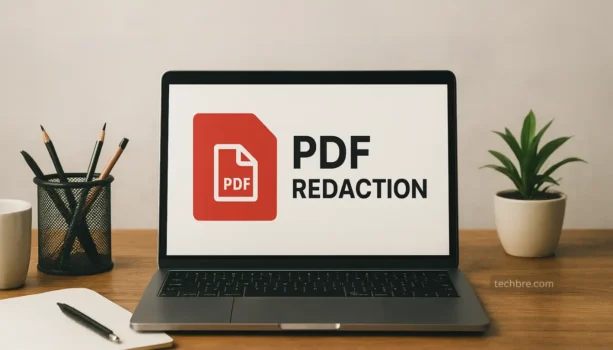
Best PDF redaction software in Pakistan matters when your files contain CNIC numbers, salary details, bank accounts, addresses, signatures, or client records. Many users still place black boxes over text or use weak free tools, but that does not always remove the hidden data underneath.
The real mistake is thinking that visual cover-up means secure redaction. In legal, HR, finance, and office work, that can expose sensitive information even after a PDF is shared by email or WhatsApp.
The safer solution is to use a genuine PDF editor with proper redaction features. This guide compares the best tools for Pakistan, explains who each one suits, and helps you choose the right paid licence for your workflow.
BreTech offers these tools in Pakistan with PKR pricing, local payment options, 1–72 hour digital email delivery, and support as an official reseller.
Foxit PDF Editor and PDF-XChange Editor are among the strongest choices for secure PDF redaction in Pakistan. Wondershare PDFelement, Ashampoo PDF Pro, EaseUS PDF Editor, and SwifDoo PDF also suit different office and business needs, depending on your document volume and editing workflow.
Quick At-a-Glance: Top PDF Redaction Tools in Pakistan
| Tool | Best For | Redaction Strength | Ease of Use |
|---|---|---|---|
| Foxit PDF Editor | Law firms, contracts, compliance work | Advanced | Easy |
| PDF-XChange Editor | Offices needing precision and control | Advanced | Medium |
| Wondershare PDFelement | SMEs wanting an all-in-one editor | Strong | Easy |
| Ashampoo PDF Pro | Small teams wanting a simple paid option | Moderate | Easy |
| EaseUS PDF Editor | Everyday office documents | Basic to moderate | Very easy |
| SwifDoo PDF | Lightweight use and smaller budgets | Basic to moderate | Easy |
Compare our PDF editor tools in Pakistan to find the right fit for your workflow. You can also compare licences by brand through Foxit, PDF-XChange, Wondershare, Ashampoo, EaseUS, and SwifDoo PDF.
What Is PDF Redaction and Why It Matters
PDF redaction means permanently removing sensitive information from a document so it cannot be copied, searched, or recovered later. That is very different from simply placing a shape or black highlight over text.
For Pakistani lawyers, HR teams, accountants, consultants, and office staff, proper redaction is important because many documents contain personal and financial data. A weak redaction method can expose private details even when the file looks safe on screen.
What True PDF Redaction Means
True redaction deletes the selected content from the PDF itself. Good software can also remove hidden layers, comments, and metadata so the final file is safer to share.
This is especially useful for contracts, salary documents, tax files, reports, tenders, and internal records. If your work also needs broader editing beyond redaction, see our guide to the best PDF editing software in Pakistan.
Common PDF Redaction Mistakes
The biggest mistake is covering text visually instead of removing it. In some cases, users can still copy the hidden text, search for it, or reveal it in another editor.
Another common mistake is relying on cracked or random free tools. These may not support proper redaction, may miss metadata cleanup, and often create more risk than they solve.
What We See in BreTech Support
A common local problem is that offices reuse old document templates without checking comments, tracked changes, or hidden details. Another is that staff use different PDF tools, so one person redacts properly while another only hides text.
That is why it helps to standardise one reliable PDF editor across the team. Even a simple office workflow becomes safer when staff use the same redaction steps every time.
Best PDF Redaction Software in Pakistan
Below are the strongest BreTech-supported options for users who want to buy genuine PDF redaction software in Pakistan. These tools also support the main product pages you want this blog to strengthen.
1. Foxit PDF Editor for Professional Redaction
Foxit PDF Editor is one of the strongest choices for law firms, consultants, legal advisers, and document-heavy teams. It balances strong redaction tools with a familiar editing workflow, so users can redact, review, sign, and share documents more easily.
Key features:
- Permanent redaction with proper content removal
- Pattern-based redaction for repeated text or numbers
- Strong editing, review, comment, and form tools
Ideal for: Lawyers, chambers, legal offices, consultants, and compliance-focused teams.
Limitation: It may offer more features than some small teams or light users need.
Upgrade option: Foxit PDF Editor Plus may suit users who want a broader Foxit package beyond standard PDF editing and redaction.
2. PDF-XChange Editor for Precise Document Control
PDF-XChange Editor is a strong choice for offices that want more fine control over layout, document handling, and redaction. It suits accounting firms, engineering offices, corporate teams, and users who work with more detailed or structured PDF files.
Its strength is precision. Users who want more control without moving into overly complex enterprise tools often prefer it.
Key features:
- Permanent redaction for sensitive text and objects
- Text and pattern-based find-and-redact options
- Strong document control, commenting, and layout tools
Ideal for: Office teams, legal support staff, finance departments, and users who want detail and control.
Limitation: Its interface can feel more detailed for beginners who prefer a simpler editor.
3. Wondershare PDFelement for Balanced Everyday Use
Wondershare PDFelement is a good fit for SMEs and office users who want redaction plus broader PDF tools in one place. It is easier to learn than some heavier editors, which makes it useful for mixed teams.
This is often the better choice when your workflow includes forms, comments, file conversion, and general editing as well as secure redaction.
Key features:
- Clear interface for editing and redaction
- Useful tools for forms, comments, and document review
- Good all-in-one balance for daily office use
Ideal for: SMEs, consultants, training centres, and mixed office teams.
Limitation: Advanced users may want more precise control for heavier document workflows.
4. Ashampoo PDF Pro for Small Teams and One-Time Buyers
Ashampoo PDF Pro is a practical option for small businesses and admin teams that want a simpler paid PDF editor with redaction. It is often attractive to buyers who prefer a straightforward purchase path and routine office use.
It may not be the most advanced redaction platform in this list, but it covers many small-team needs well.
Key features:
- Easy PDF editing and redaction tools
- Good handling for office forms and admin documents
- Useful conversion and cleanup features
Ideal for: Small businesses, HR teams, admin staff, and buyers wanting a simpler paid tool.
Limitation: It is better for routine office work than for advanced legal or compliance-heavy use.
5. EaseUS PDF Editor for Simple Office Redaction
EaseUS PDF Editor is a user-friendly option for people who need basic redaction and simple document editing without a steep learning curve. It suits teams that want something approachable for everyday work.
This is a sensible option when your staff only redact occasionally and need a clear, simpler interface.
Key features:
- Easy-to-use editing layout
- Basic redaction and page management tools
- Good fit for light office workflows
Ideal for: General office staff, coordinators, HR support, and occasional PDF users.
Limitation: It is more suitable for lighter redaction needs than for advanced document security work.
6. SwifDoo PDF for Lightweight and Budget-Friendly Use
SwifDoo PDF is a lighter option for users who want quick editing and basic redaction without a heavy tool. It works well for smaller teams, assistants, and freelancers who need a practical PDF app for routine use.
It is not the deepest editor here, but it can still be a useful fit for lighter secure-sharing needs.
Key features:
- Fast and lightweight interface
- Basic redaction and annotation tools
- Useful for sharing, merging, and routine PDF handling
Ideal for: Small teams, assistants, freelancers, and lighter office use.
Limitation: It is not the strongest choice for teams that need deeper redaction control or wider PDF workflows.
Which PDF Redaction Tool Should You Buy?
The best choice depends on your document type, team size, and how often you handle sensitive information.
Choose Foxit PDF Editor if you handle legal files, contracts, and higher-risk business documents every day. Choose PDF-XChange Editor if you need stronger control over formatting, layout, and precise document work.
Choose Wondershare PDFelement if you want a more balanced all-in-one editor for office workflows. Choose Ashampoo PDF Pro if you want a practical paid tool for a smaller team. Choose EaseUS PDF Editor if your staff need a simpler learning curve. Choose SwifDoo PDF if you want a lighter and more budget-friendly option.
Mac users should also compare workflow needs with our guide to the best PDF editors for Mac in Pakistan.
How to Choose the Right PDF Redaction Software
A good buying decision is not just about finding the cheapest PDF editor. It is about choosing a genuine tool that removes data properly and matches how your team really works.
Look for true redaction, not visual cover-up. Also check whether the software can handle repeated patterns, comments, hidden layers, and broader document editing tasks.
Features That Matter Most
For most users in Pakistan, these features matter most:
- True redaction with permanent removal
- Pattern or search-based redaction for repeated data
- Good PDF editing and document review tools
- Stable updates and activation through a genuine licence
- Easy enough workflow for your actual staff to follow
If your office also converts files before or after redaction, these two guides may help: How to Convert Word to PDF Without Losing Formatting and How to Convert PDF to Word Without Losing Formatting.
A Quick Buying Checklist
Ask these questions before you buy:
- Do we redact legal, HR, finance, or client documents often?
- Do we need only simple redaction, or wider PDF editing too?
- Will one person use the tool, or a whole team?
- Do we need something beginner-friendly or more advanced?
- Are we buying a genuine licence with updates and activation support?
A short checklist like this prevents overbuying and underbuying.
Buying PDF Redaction Software in Pakistan
Buying locally matters because many Pakistani users want clear PKR pricing, simpler payment options, and someone to contact if activation or setup becomes confusing. That is where a local reseller gives practical value.
BreTech provides genuine PDF redaction software in Pakistan with local payment support and fast digital email delivery on most orders. That is often easier than guessing international pricing, risking cracked copies, or trying to solve licence issues alone.
Why Genuine Licences Matter
A genuine licence gives you safer activation, updates, vendor compatibility, and a more reliable workflow. That matters even more when your documents contain confidential details and your team cannot afford hidden file risks.
For BreTech users, the biggest advantage is not just getting the key. It is getting a suitable PDF tool for Pakistan with a clearer buying path and local support if questions come up.
Conclusion
The best PDF redaction software in Pakistan is the one that actually fits your workflow and removes sensitive data properly. For law firms and higher-risk document work, Foxit PDF Editor and PDF-XChange Editor stand out. For broader office use, Wondershare PDFelement, Ashampoo PDF Pro, EaseUS PDF Editor, and SwifDoo PDF all cover different needs and budgets.
If your team still relies on manual black boxes or weak free tools, now is the right time to upgrade. Compare the options in our PDF editing solutions in Pakistan, review the right brand pages, and choose a genuine PDF redaction tool from BreTech for safer document handling in Pakistan.
FAQs
Q: What Is PDF Redaction?
A: PDF redaction means permanently removing sensitive information from a PDF document so it cannot be copied, searched, or recovered later. It is safer than simply hiding text with shapes, highlights, or black boxes.
Q: Is Covering Text with a Black Box Enough to Redact a PDF?
A: No. A black box may hide text on the screen, but the underlying content can still remain inside the file. Proper redaction tools remove the actual data, which makes the PDF document safer to share with others.
Q: Why Does Proper Redaction Matter for Sensitive Information?
A: Proper redaction helps protect sensitive information such as names, salaries, account numbers, addresses, legal details, and client records. This matters in legal, HR, finance, and business documents where privacy errors can cause real problems.
Q: Which PDF Redaction Software Is Best for Lawyers in Pakistan?
A: For lawyers and legal teams in Pakistan, Foxit PDF Editor and PDF-XChange Editor are strong options because they offer effective redaction, document control, and better handling for contracts, case files, and confidential PDF documents.
Q: Can PDF Redaction Tools Remove Hidden Data Too?
A: Yes, some advanced redaction tools can help remove more than visible text. They may also help clean hidden elements such as comments, layers, metadata, or other content that should not remain inside the final PDF document.
Q: Do I Need Advanced Redaction Tools or a Basic PDF Editing Tool?
A: A basic PDF editing tool may work for light use, but advanced redaction tools are better when you regularly redact sensitive information. They offer stronger control, better accuracy, and safer document redaction for important files.
Q: Can I Redact Multiple PDF Files at Once?
A: Some PDF redaction solutions support faster workflows such as pattern-based finding, repeated redaction tasks, or batch redaction features. These are useful when offices need to work across multiple PDF files more efficiently.
Q: Are Free Redaction Tools Safe for Sensitive Documents?
A: Free tools may be enough for basic PDF use, but they are not always the best choice for confidential work. Paid PDF software usually offers better redaction capabilities, stronger PDF management, and more reliable document security.
Q: What Should I Check Before Buying PDF Redaction Software?
A: Before buying, check the redaction capabilities, ease of use, PDF management features, and whether the software suits your workflow. A genuine licence also helps with activation, updates, support, and safer long-term use.
Q: Is PDF Redaction Software Available in Pakistan?
A: Yes, PDF redaction software is available in Pakistan through genuine paid licences. This makes it easier for users to buy the right PDF solution with local support, PKR pricing, and a simpler path for activation and regular use.