
3D CAD & Home Design software in Pakistan helps you create floor plans, room layouts, and realistic 3D visual designs for homes and projects, with official licenses and PKR pricing available at BreTech.
Showing all 4 results

Plan Layouts and Interiors with 3D CAD & Home Design Software in Pakistan
Planning a room, house, or structure is easier when you can draw it clearly before work begins. 3D CAD & Home Design software helps you build floor plans, test room layouts, visualise interiors, and prepare designs you can review more confidently.
Unsafe copies and the wrong tools can create delays, missing features, or poor output quality. Some tools may not fit your workflow, while others may limit exports, object libraries, or design control. It is better to compare genuine software before you buy.
BreTech is an authorized reseller with PKR pricing, fast email delivery on most orders, local payment options, and local support. You can buy a genuine official license, receive an activation key, and get setup and activation help. Trials may help you test the interface, but they can have time limits or locked features.
Match Your Problem to the Right Solution
| Your problem | Best software fit | Why it helps |
|---|---|---|
| You want to draw a home layout | Home design software | Helps you build room plans and test layouts more easily |
| You need more detailed structural work | 3D CAD software | Gives you stronger planning and design control |
| You want to visualise interiors before buying | Interior-focused planning tools | Helps you test furniture, materials, and room style |
| You need drawings to share with others | CAD tools with export options | Makes it easier to share plans and outputs |
| You want a simpler design workflow | User-friendly home planning software | Reduces learning time and speeds up layout work |
Compare 3D CAD & Home Design Options in Pakistan
Before you purchase, compare the software by how you plan, draw, and present your work. The right choice depends on whether you need simple room planning or more detailed CAD control.
- 2D planning: Useful for walls, rooms, doors, windows, and basic measurements.
- 3D visualisation: Helps you view spaces, layouts, and design ideas more clearly.
- Object libraries: Useful for placing furniture, fixtures, and common room items faster.
- Export options: Important when you need to share plans, images, or working files.
- Use case fit: Home users, students, builders, and design teams often need different tools.
- Updates and support: Genuine software is easier to activate, update, and use with confidence.
How to Choose the Right 3D CAD & Home Design Software
- Architects and drafting teams: Choose software with stronger planning control and detailed output options.
- Interior designers: Look for layout, furnishing, and visual planning features.
- Builders and contractors: Pick tools that help you review plans and share work clearly.
- Homeowners: Choose simpler software for room planning and home layout ideas.
- Students: Start with software that is easier to learn and use for practice work.
- Studios and small teams: Look for reliable licensing, clean activation, and steady workflow support.
3D CAD & Home Design Options Available at BreTech
Different users need different design workflows. Some want a simple room planner, while others need more detailed CAD tools for structures, layouts, and professional planning.
- Home layout planning: Use home design software to test room shape, furniture placement, and space flow.
- Interior design ideas: Compare layouts, décor direction, and room planning before purchase decisions.
- Builder sharing: Use software that helps you prepare plans you can review and share more clearly.
- Professional drafting: Choose CAD-focused software for more detailed design work and stronger control.
- Student practice: Start with a tool that helps you learn planning and 3D design step by step.
Featured 3D CAD & Home Design Tools
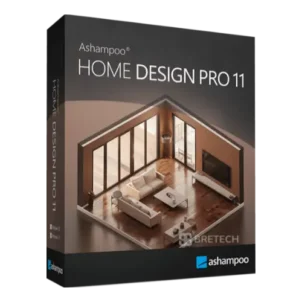
- Ashampoo Home Design: Home design software for room planning, layout testing, and 2D to 3D visualisation.
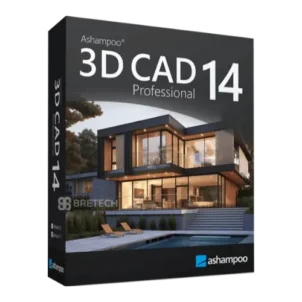
- Ashampoo 3D CAD Professional: Professional 3D CAD software for more detailed planning and design work.
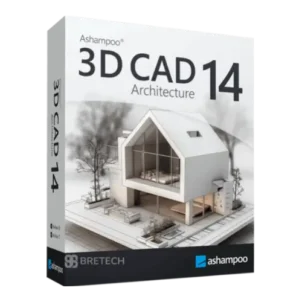
- Ashampoo 3D CAD Architecture: Architecture-focused CAD software for structured layout and plan creation.
Explore Related Design & Creative Categories
- Design & Creative: Go back to the main creative software hub for design, media, and visual workflow tools.
- Diagram & Graphics: Useful for diagrams, layouts, visual communication, and graphic planning.
- Photo: Edit, enhance, and prepare images for creative and presentation work.
- Audio & Music: Explore audio tools for music, editing, and sound-related projects.
Why Buy from BreTech
- Official licenses: Genuine software with vendor-verified activation keys.
- Genuine software: Safer activation, cleaner updates, and more reliable long-term use.
- PKR pricing: Easier to compare the price in Pakistan before you buy.
- Fast email delivery: Email delivery on most orders.
- Local support: Help is available for software selection, setup, and activation.
- Renewal and upgrade help: Support is available where renewal or upgrade options apply.
“We needed a design tool that was easy to activate and simple to start using. The license arrived quickly and the setup was smooth.”
Shop by Brand
- Ashampoo: Design and utility software for home planning, 3D layout work, and creative tasks.
Learn More
- Best Home Design Software in Pakistan: Compare home design software types before you buy.
Start Buying 3D CAD & Home Design Software in Pakistan
Compare the right software for your planning style, design needs, and workflow. Then buy a genuine official license with clear activation and local support.
Disclaimer
Features, editions, and pricing can change. Please confirm the latest details on the product page before ordering.