Abdul Basit
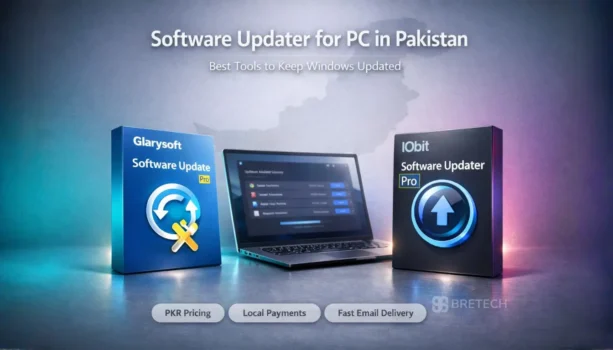
A software updater for PC helps Windows users find outdated applications and install newer versions without checking each program manually. IObit Software Updater Pro is a strong choice for automatic updates on individual PCs, while Glarysoft Software Update Pro is more suitable when supported software needs to be managed across several computers on a local network.
Both tools update supported third-party Windows applications. They do not replace Windows Update or a dedicated driver updater.
Key Takeaways
- IObit Software Updater Pro is better suited to individual PCs and small offices that want automatic updates, scheduling, batch updates, restore points, and application exclusions.
- Glarysoft Software Update Pro is more useful when Remote Manager is needed to install and update supported software across LAN-connected computers.
- A free software updater can be enough for occasional checks, while Pro versions are more useful for automation, frequent updates, or multi-PC management.
IObit Software Updater Pro
IObit Software Updater Pro is designed to reduce the manual work involved in keeping supported Windows applications up to date.
IObit Software Updater 9 supports more than 1,100 applications. The Pro version includes unlimited batch updates, automatic and scheduled updates, restore points, vulnerability patching, application exclusions, and a custom automatic-update list.
It can also help users find and install supported applications from its software catalog. This makes it suitable for home users, freelancers, shared family PCs, and small offices that want easier software maintenance.
Its main limitation is application coverage. No software updater supports every Windows program, so specialized or less common applications may still need manual updates.
Explore other IObit software available from BreTech.
Glarysoft Software Update Pro
Glarysoft Software Update Pro combines automatic software updating with remote management for supported computers on a local network.
Its Remote Manager can install and update supported applications on selected LAN-connected computers. Software Update Pro needs to be installed on each PC that will be managed.
This makes Glarysoft useful for offices, schools, computer labs, training centers, internet cafés, repair environments, and IT administrators responsible for several local PCs.
Organizations that need broader centralized patch policies, reporting, or enterprise administration may need a dedicated business patch-management solution.
You can also browse other Glarysoft software.
IObit Software Updater Pro vs Glarysoft Software Update Pro
The main difference is the management workflow. IObit focuses more on automatic software maintenance for individual Windows PCs, while Glarysoft adds Remote Manager for supported applications across multiple LAN computers.
| Feature | IObit Software Updater Pro | Glarysoft Software Update Pro |
|---|---|---|
| Best fit | Individual PCs and small offices | Multiple LAN-connected PCs |
| Third-party software updates | Yes | Yes |
| Automatic updates | Yes | Yes |
| Batch updates | Yes | Yes |
| Scheduled updates | Yes | Not clearly listed |
| Restore points | Yes | Not clearly listed |
| Application exclusions | Yes | Not clearly listed |
| Custom automatic-update list | Yes | Not clearly listed |
| Install supported new apps | Yes | Yes |
| Remote LAN management | No dedicated LAN manager | Yes |
| Windows system updates | No | No |
| Hardware driver updates | No | No |
Choose IObit when automatic updates, scheduling, restore points, and simple maintenance for one or a few PCs are the main priorities.
Choose Glarysoft when supported applications need to be installed or updated across several computers on the same LAN.
How to Update and Schedule Software Automatically on a Windows PC
Windows software can normally be updated through the application’s built-in updater, by downloading the latest version from the developer, or by using a software updater that checks several applications from one place.
A software updater usually simplifies the process:
- Scan the PC for outdated software.
- Review the available updates.
- Select the applications you want to update.
- Download and install the newer versions.
- Check important applications after updating.
For automatic updates, supported Pro tools can reduce manual work further. IObit Software Updater Pro includes scheduled and automatic updating, while Glarysoft Software Update Pro provides automatic software updating for supported applications.
Can Software Updaters Install New Applications?
Yes, some software updaters can install supported new applications as well as update existing ones.
IObit Software Updater includes a catalog of supported programs that users can install from within the software. Glarysoft Software Update Pro can also install supported applications on selected LAN-connected computers through Remote Manager.
These tools are not universal software installers. They can only install or update applications included in their supported software databases.
Why Keeping Windows Applications Updated Matters
Outdated software may miss security patches, bug fixes, compatibility improvements, and newer features. Older versions with known vulnerabilities can also increase security risks.
Keeping software up to date is especially important for browsers, communication apps, PDF tools, security utilities, and other applications that regularly connect to the internet or open downloaded files.
Important business applications, plugins, and specialized software should still be reviewed before installing a major new version.
What Makes a Good Software Updater for Windows?
A good software updater should accurately detect outdated software, clearly show available updates, and let users control what gets installed.
Useful features include:
- Support for applications you regularly use
- Clear old and new version information
- Batch updates
- Automatic or scheduled updates
- Trusted update sources
- Restore or recovery options
- Application exclusions
- Multi-PC management when required
A large software database is useful, but support for the applications you actually use is more important.
Free vs Pro Software Updater for PC
A free software updater can be enough if you only need occasional checks and do not mind some manual work.
IObit Software Updater Free includes basic software updating, restore-point creation, and limited batch updating. The Pro version adds unlimited batch updating, automatic updates, scheduling, vulnerability patching, exclusions, and more control over automatic updates.
Glarysoft also offers a free version with a more manual update workflow. Software Update Pro adds automatic software updating and Remote Manager.
For light personal use, a free version may be enough. Pro becomes more useful when automation, regular batch updates, or multi-PC management can save time.
Software Updater vs Windows Update vs Driver Updater
These tools handle different parts of PC maintenance.
| Tool | Main purpose |
|---|---|
| Software updater | Updates supported third-party applications |
| Windows Update | Updates Windows and Microsoft components |
| Driver updater | Updates supported hardware drivers |
A software updater should not replace Windows Update.
It also serves a different purpose from a driver updater, which focuses on hardware such as graphics, audio, network, chipset, Bluetooth, and other devices.
If outdated drivers are your main concern, see our best driver updater software for Windows in Pakistan or compare IObit Driver Booster vs Avast Driver Updater.
Risks of Software Updaters and How to Use Them Safely
Automatic software updates save time, but a new version can sometimes cause compatibility problems, change features, or affect plugins and workflows that depend on an older release.
To reduce problems:
- Use a trusted software updater.
- Review important updates before installing them.
- Keep backups of important files.
- Use restore points where available.
- Avoid installers from unknown download websites.
- Test important applications after major updates.
Business-critical software should normally be updated more carefully than everyday consumer applications.
Buying Software Updater Licenses in Pakistan
Pakistan buyers can compare genuine products in BreTech’s Software Updater category.
BreTech provides PKR pricing, local payment options, digital delivery, activation help, and invoice support. Before buying, check the license term, number of PCs covered, Windows compatibility, and whether the update workflow matches your needs.
For automatic software maintenance on individual PCs, IObit Software Updater Pro is the stronger starting choice. For LAN-based management of supported applications across several computers, Glarysoft Software Update Pro is the more relevant option.
For larger business requirements, contact BreTech to discuss the suitable software license.