 Abdul Basit
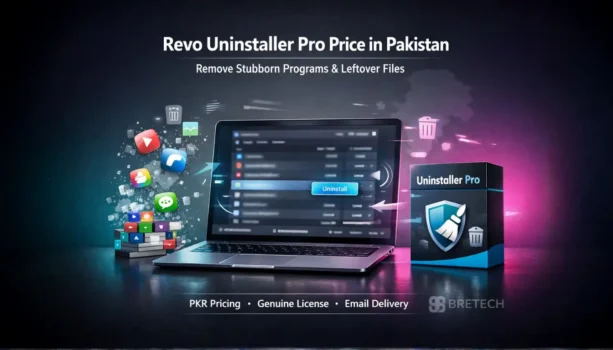
Revo Uninstaller Pro pricing in Pakistan is a common search for users who want to remove unwanted programs, leftover files, and stubborn software from a Windows PC. Many users find that the standard Windows uninstall leaves behind traces, junk files, and other leftover data, which makes the system harder to clean properly.
That is why many buyers compare Revo Uninstaller Pro price in Pakistan, features, and license options before choosing a safer cleanup tool. At BreTech, users in Pakistan can buy a genuine Revo Uninstaller Pro license with PKR pricing, local payment options, and digital delivery from an authorized reseller.
Revo Uninstaller Pro pricing in Pakistan depends on the license type and intended use. It is designed to remove unwanted programs and leftover traces more completely than the standard Windows uninstall option. BreTech offers genuine licenses in Pakistan with PKR pricing and digital delivery.
Quick Overview of Revo Uninstaller Pro
| Product | License | Best For | Key Features |
|---|---|---|---|
| Revo Uninstaller Pro 5 – 1 Year | 1 PC License | Home users, freelancers, technicians | Forced uninstall, leftover scan, junk file removal, Hunter Mode |
You can also browse more tools in Uninstaller Software or learn more about Revo Uninstaller before choosing the right license for your PC.
Revo Uninstaller Pro Pricing and License Options in Pakistan
Revo Uninstaller Pro pricing in Pakistan mainly depends on the license duration and number of PCs. Most users choose the 1-year license because it provides full uninstall features, leftover scanning, and complete program removal for regular PC use.
For users who install and remove software frequently, the Pro version offers deeper cleanup compared to the standard Windows uninstall. It includes features like forced uninstall, junk file cleanup, and leftover trace removal.
Buying a genuine Revo Uninstaller Pro license in Pakistan ensures safe activation, full feature access, and updates. At BreTech, users can get PKR pricing, local payment options, and digital delivery from an authorized reseller.
What Is Revo Uninstaller Pro?
Revo Uninstaller Pro is a powerful software uninstaller designed to uninstall programs and remove leftover traces from a Windows PC. It goes beyond the standard Windows uninstall process.
After uninstalling an app, the software performs a scan for leftover files, registry entries, and installation traces. This helps remove unwanted programs more completely and keeps the system cleaner.
Key Features of Revo Uninstaller Pro
Revo Uninstaller Pro includes several tools that help users uninstall software safely and remove leftover components that slow down a PC.
Remove Programs Completely
The software helps remove programs and leftover components that remain after normal uninstalling. It scans the system for remnant files, installation traces, and leftover logs.
This deeper uninstallation process helps clean the system and prevents broken apps or unused files from staying on the PC.
Clean Junk Files and Registry Entries
After uninstalling software, Revo performs a leftover scan to detect junk files and registry traces. These leftover components can take space and sometimes affect system performance.
Removing these remnants helps keep the system cleaner and prevents unwanted traces from old programs.
Easy Interface for PC Cleanup
Revo Uninstaller Pro provides an easy-to-use interface that makes program removal simple. Users can quickly see installed apps, browser extensions, and Windows apps in one place.
The interface allows quick scans, uninstalling applications, and removing leftover files without complicated steps.
How Revo Uninstaller Pro Uninstalls Programs Better Than Windows
The built-in Windows Control Panel uninstall often removes only the main program files. Many apps leave behind leftover files, registry traces, and installation logs after uninstalling.
Revo Uninstaller Pro performs a deeper scan after the uninstall process. It searches for remnant files, leftover components, and registry entries that remain on the PC. This helps remove unwanted programs more completely and keeps the system cleaner.
The forced uninstall feature is especially useful when a program cannot uninstall normally or when an app is partially installed.
Who Should Use Revo Uninstaller Pro?
Revo Uninstaller Pro is useful for anyone who regularly installs and removes software on a Windows PC.
It is especially helpful for:
- Users dealing with stubborn programs that cannot uninstall normally
- People who want to remove leftover files and junk after uninstalling apps
- Freelancers or technicians managing multiple programs on a PC
- Users who want a cleaner system and better system performance
Because the interface is simple and intuitive, both beginners and advanced users can use the tool easily.
Revo Uninstaller Pro vs Other Uninstall Tools
Many uninstall tools are available for Windows, but they differ in features and depth of cleaning.
| Tool | Key Strength | Typical Use |
|---|---|---|
| Revo Uninstaller Pro | Deep scan for leftovers, forced uninstall, Hunter Mode | Removing stubborn or partially installed programs |
| IObit Uninstaller | Browser extension removal, simple interface | Removing apps and browser add-ons |
| Ashampoo UnInstaller | Installation monitoring and cleanup tools | Tracking software changes during installation |
All three tools can uninstall software, but Revo is widely known for its strong leftover scanning and reliable removal process for stubborn programs.
If you want a broader comparison before you buy Revo Uninstaller Pro, read our guide on IObit Uninstaller vs Revo vs Ashampoo.
Is Revo Uninstaller Pro Worth It?
For many Windows users, Revo Uninstaller Pro is worth using because it removes programs more completely than the built-in Windows uninstall tool. After uninstalling an app, it scans the PC for leftover files, registry traces, and junk components that often remain.
Features like forced uninstall, leftover scanning, and browser extension cleanup help remove stubborn programs that cannot uninstall normally. For users who install and remove software frequently, this tool can help keep the system cleaner and more organized.
Conclusion: Revo Uninstaller Pro for Cleaner PC Performance
Revo Uninstaller Pro is a reliable software uninstaller for removing unwanted programs and leftover components from a Windows PC. Its deeper scanning and forced uninstall tools help clean traces that the standard Windows uninstall process often leaves behind.
For users who want better control over installed apps and fewer leftover files, the Pro version provides useful tools that help maintain a cleaner and more organized system.
Explore more options in Uninstaller Software or get Revo Uninstaller Pro from BreTech with PKR pricing, digital delivery, and local support.
FAQs
Q: Does Revo Uninstaller Pro have a free version or trial period?
A: Yes. Revo provides a free version with basic functionality and a 30-day trial period for the Pro version. The trial allows users to test advanced tools like forced uninstall and leftover scanning before purchasing a license.
Q: Can Revo Uninstaller Pro remove leftover files after uninstalling programs?
A: Yes. After a program is uninstalled, Revo scans the system for leftover files, registry traces, and installation logs stored in its logs database. These remnants can then be safely deleted to keep the PC cleaner.
Q: Is there a portable version of Revo Uninstaller Pro?
A: Yes. Revo offers a portable version that can run from a USB drive without full installation. This is useful for technicians or users who want a removable tool to uninstall programs on different PCs.
Q: How do you download and activate Revo Uninstaller Pro?
A: After you download Revo Uninstaller, install the software and enter the license key to activate the Pro version. Once activated, all advanced features become available.
Q: Can Revo Uninstaller remove browser extensions from Chrome or Firefox?
A: Yes. Revo can remove browser extensions from browsers such as Chrome and Firefox. This helps delete unwanted add-ons that may remain after uninstalling related software.
Q: Is Revo Uninstaller Pro easy to use for beginners?
A: Yes. The interface is designed to be easy to use, allowing users to uninstall programs, delete junk files, and manage installed apps from one place. Even beginners can follow the simple steps without needing a complex tutorial.
Further Reading
- How to Force Uninstall Programs
- IObit Uninstaller vs Revo vs Ashampoo
- Best Uninstaller Software for Windows in Pakistan
- Common Mistakes When Uninstalling Software
- Remove Leftover Files After Uninstalling Software in Windows
For more software removal tips, explore our Uninstallers section and broader Utilities & Optimization guides.