Abdul Basit
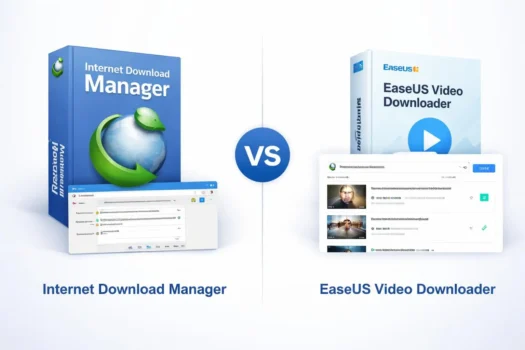
IDM and EaseUS Video Downloader can both help with online downloads, but they are built for different types of users. IDM focuses on broader Windows download management, while EaseUS Video Downloader focuses more on downloading video and audio.
Choose IDM if you use Windows and want browser integration, download queues, scheduling, and resume support for supported downloads. Choose EaseUS Video Downloader if you mainly download videos, work with playlists or batches, prefer a paste-link workflow, or use a Mac.
For buyers in Pakistan, the better choice depends on what you download most and which operating system you use.
Download only content you own, have permission to save, or are otherwise allowed to download under the platform’s terms and applicable law.
IDM vs EaseUS Video Downloader at a Glance
| Feature | IDM | EaseUS Video Downloader |
|---|---|---|
| Main purpose | General download management | Video and audio downloading |
| Operating system | Windows | Windows and macOS |
| Main workflow | Browser-integrated downloads | Paste URL or use supported search tools |
| YouTube playlists | Videos normally handled individually | Supports playlist and batch workflows |
| Interrupted downloads | Resume support where the source allows it | Video-focused downloading workflow |
| Browser integration | Major part of the software | Not the main workflow |
| General file downloads | Yes | Mainly focused on video and audio |
| Best for | Regular Windows downloading | Video, playlists, batches, and Mac users |
If you want to compare a wider range of download tools, see our Best Video Downloader for PC in Pakistan guide.
Internet Download Manager: Best for Broader Windows Downloads
Internet Download Manager is designed for Windows users who regularly download files from the web.
Its main strength is browser integration. After the IDM browser extension is installed and enabled, IDM can take over supported downloads and may show a download panel for supported online video.
This makes IDM useful for users who download more than video. It can also manage documents, installers, archives, media files, and other supported downloads from one place.
What IDM Does Well
IDM includes features such as:
- Browser integration
- Download queues
- Download scheduling
- Resume support for interrupted downloads
- General file download management
- Video detection in supported browser workflows
IDM also uses file segmentation as part of its download system. For users with an unstable connection, its resume feature can be useful when the source allows an interrupted download to continue.
What to Know About Playlist Downloads
IDM is not built around downloading a complete YouTube playlist automatically.
Its workflow is better suited to detecting or adding supported videos individually. If you regularly download full playlists or many video links at the same time, EaseUS Video Downloader has a more direct workflow for that job.
When IDM Does Not Detect a Video
IDM cannot download every video from every website. Website changes, browser settings, unsupported streaming methods, or protected content can stop the download panel from appearing.
If IDM is installed but video capture is not working, see Why IDM Is Not Downloading Videos before changing software.
EaseUS Video Downloader: Best for Video-Focused Use
EaseUS Video Downloader is built around downloading online video and audio.
Its workflow is different from IDM. Instead of relying mainly on browser capture, you can enter a supported video URL, let the software analyze it, choose available options, and start the download.
This approach can be easier to understand if your main goal is saving video rather than managing many types of files.
What EaseUS Video Downloader Does Well
Depending on the supported source and available media, EaseUS Video Downloader can provide:
- URL-based video downloading
- Video and audio downloads
- Batch downloading
- YouTube playlist support
- Available quality and format choices
- Windows and macOS versions
Its playlist support is an important difference from IDM. Users who often work with groups of videos can use a more direct batch-style workflow instead of handling every video separately.
Better Fit for Mac Users
If you use macOS, EaseUS Video Downloader is the relevant choice between these two products.
IDM is a Windows application, while EaseUS provides a Mac version of its video downloader. Mac buyers should still check the correct operating-system version and license before ordering.
If you want more information about the software before installing it, read Is EaseUS Video Downloader Safe?.
IDM vs EaseUS for YouTube Playlists
EaseUS Video Downloader is the better fit when playlist downloading is one of your main requirements.
IDM can work with supported individual videos through its browser-based workflow, but it is not designed to automatically collect and download an entire YouTube playlist in one step.
EaseUS Video Downloader supports playlist links and batch downloading, which can reduce the amount of manual work when several videos need to be processed.
If you rarely download playlists, this difference may not matter. For regular playlist use, it can be an important reason to choose EaseUS.
IDM vs EaseUS for Regular Windows Downloads
IDM has an advantage when you want one program for many types of downloads.
It works as a general Windows download manager, so video is only one part of what it does. Browser integration, queues, scheduling, and interrupted-download recovery make it suitable for users who download files throughout the day.
EaseUS Video Downloader is more specialized. It makes more sense when your main work involves online video or audio instead of general internet downloads.
For a Windows user who downloads software installers, large files, documents, archives, and videos, IDM is usually the more suitable type of tool.
IDM vs EaseUS for Unstable Internet Connections
Interrupted downloads can be frustrating when internet service is unstable.
IDM includes resume and error-recovery features for supported downloads. If the server allows the download to continue from the saved position, you may not need to start the entire file again.
This does not mean every download can always be resumed. The source server and download method also affect whether resume support works.
EaseUS may still be a better choice if your main goal is processing several video links or playlists rather than managing large general downloads.
Which One Is Easier to Use?
The easier product depends on the workflow you prefer.
IDM works closely with your browser. Once browser integration is set up, many supported downloads can be handled while you browse without manually copying every link.
EaseUS Video Downloader uses a more direct video workflow. You normally provide the video URL, choose from the available download options, and start the task.
Users who mainly download online videos may prefer the EaseUS approach. Users who already spend most of their time downloading through a Windows browser may find IDM more convenient.
IDM or EaseUS Video Downloader: Which Should You Choose?
Choose IDM if you:
- Use Windows
- Download many types of files
- Want browser integration
- Need queues and scheduling
- Want resume support for supported downloads
- Prefer one general download manager
Choose EaseUS Video Downloader if you:
- Mainly download video or audio
- Download playlists
- Process several video links at once
- Prefer a paste-link workflow
- Use macOS
- Want a dedicated video downloader
The main question is not which software has the longest feature list. It is which workflow matches the way you download.
Free vs Paid Video Downloaders
Free web-based download tools can be useful for occasional tasks, but their supported websites, advertising, privacy practices, quality options, and availability can change.
Desktop software may make more sense if you download regularly and need features such as browser integration, playlist support, batch processing, software updates, or interrupted-download recovery.
Avoid cracked versions of paid download software. Modified installers may include unwanted software, create activation problems, or stop working after updates.
For a broader buying decision, read Free vs Paid Video Downloader in Pakistan.
Can You Download Any YouTube Video?
No. Having download software does not give you permission to save every video available online.
YouTube’s terms restrict downloading unless the service allows it, you have permission from the relevant rights holder, or applicable law permits the use.
Some protected or unsupported streams may also not work with download software.
Use these tools for your own content, permitted downloads, or other uses where you have the right to save the material.
Buying IDM or EaseUS Video Downloader in Pakistan
For a Windows PC where you need browser integration, general file downloads, queues, scheduling, and resume tools, IDM is the more suitable choice.
For video-focused downloading, playlists, batch tasks, or macOS use, EaseUS Video Downloader is the better fit between these two products.
When buying software in Pakistan, check the operating system, license type, and product version before ordering. BreTech provides genuine software licenses with PKR pricing, local payment options, digital delivery, invoice support, and activation guidance where applicable.
IDM vs EaseUS Video Downloader: Final Verdict
IDM and EaseUS Video Downloader are not designed for exactly the same job.
IDM is better suited to Windows users who want a complete download manager for files and supported online video. Its browser integration, queues, scheduling, and resume tools make it useful for regular downloading.
EaseUS Video Downloader is better suited to users who mainly want video and audio downloads, YouTube playlist support, batch processing, or macOS compatibility.
For most buyers, the decision is simple:
IDM: broader Windows download management EaseUS Video Downloader: dedicated video, playlist, and batch downloading
To explore other genuine download tools, browse Download Managers in Pakistan.