Abdul Basit
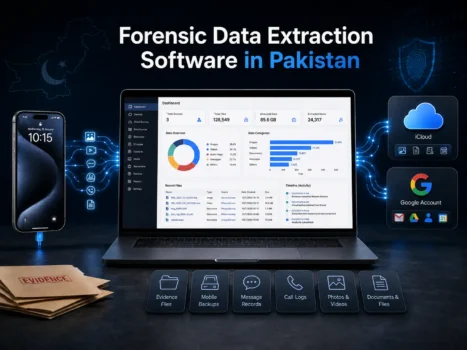
Forensic data extraction software helps authorized users collect and review data from phones, backups, and cloud accounts.
The right tool depends on where the data is stored. Elcomsoft Phone Breaker is useful for supported Apple cloud and backup data. Phone Viewer helps review extracted information. iOS Forensic Toolkit is made for deeper Apple device extraction. Cloud eXplorer focuses on supported Google Account data.
BreTech provides genuine forensic software licenses in Pakistan with PKR pricing, local payment options, invoice support, and purchase help. You can also browse our Forensics & Imaging software or view Elcomsoft products.
Important: Use forensic tools only on devices, accounts, or systems you own or have legal permission to examine.
Which Forensic Data Extraction Tool Should You Choose?
Choose the software based on the source of the data you need.
| Your Need | Recommended Tool | Best For |
|---|---|---|
| Apple iCloud or iOS backup data | Elcomsoft Phone Breaker | Apple cloud and backup extraction |
| Review extracted iPhone or iPad data | Elcomsoft Phone Viewer | Search, review, and export |
| Direct Apple device extraction | Elcomsoft iOS Forensic Toolkit | Professional iPhone and iPad cases |
| Google Account data | Elcomsoft Cloud eXplorer | Google cloud extraction |
| Several mobile forensic tasks | Elcomsoft Mobile Forensic Bundle | Labs and investigation teams |
Do not choose only by price or product name. First check the device, account, operating system, data source, and type of information you need.
What Is Forensic Data Extraction Software?
Forensic data extraction software collects information from supported phones, backups, cloud accounts, or device images.
The data can then be reviewed, searched, analyzed, or exported for an authorized investigation.
In this guide, data extraction means mobile and cloud forensic extraction. It does not mean web scraping, OCR, business database extraction, or general data processing.
A full forensic process may use more than one tool. One program may collect the data, while another may help the investigator review it.
If you need tools for disk imaging, password recovery, email evidence, and other investigation work, see our broader guide to digital forensics tools in Pakistan.
Best Forensic Data Extraction Software in Pakistan
Each tool below is made for a different job. They are not direct replacements for each other.
1. Elcomsoft Phone Breaker: Best for Apple Cloud and Backup Data
Elcomsoft Phone Breaker is designed for supported Apple cloud and backup work.
It can work with supported iCloud data, iCloud Drive, synchronized Apple data, and local iOS backups. It can also work with encrypted local backups when the required access is available.
This makes Phone Breaker useful when the data is stored in an Apple account or backup instead of only on the physical device.
Best for: forensic labs, investigators, corporate security teams, and authorized technicians working with Apple cloud or backup data.
Professional or Forensic Edition?
Check the edition before you buy.
The Professional and Forensic editions do not provide exactly the same features. Some advanced iCloud and backup functions may require the Forensic edition.
If you are not sure which edition you need, tell BreTech what type of data you want to collect before ordering.
Important iCloud Limitation
Apple can change its cloud security and login systems.
Because of this, some iCloud data types may stop working or may need updated extraction methods. Some end-to-end encrypted data can also have extra limits.
Before buying Phone Breaker, confirm that the exact iCloud data you need is currently supported.
2. Elcomsoft Phone Viewer: Best for Reviewing Extracted Data
Elcomsoft Phone Viewer is mainly an analysis and viewing tool.
It can help open, search, review, and export supported data that has already been collected from iOS backups, iCloud data, or file-system images.
For example, a team may first collect data with Phone Breaker and then use Phone Viewer to review messages, contacts, calls, media, and other supported records.
Best for: investigators and analysts who already have extracted mobile data and need a clear way to review it.
Phone Viewer is not a full device extraction tool. If you first need to collect the data, choose the correct acquisition tool before Phone Viewer.
3. Elcomsoft iOS Forensic Toolkit: Best for Direct Apple Device Extraction
Elcomsoft iOS Forensic Toolkit is made for professional extraction from supported Apple devices.
It can support logical extraction and, in some cases, deeper file-system and keychain extraction.
What you can extract depends on several things:
- Apple device model
- iOS or iPadOS version
- Device state
- Available access
- Computer operating system
- Extraction method
This makes iOS Forensic Toolkit different from Phone Breaker.
Phone Breaker mainly focuses on Apple cloud and backup data. iOS Forensic Toolkit is used when the investigator needs to work directly with the iPhone or iPad.
Best for: forensic labs, professional investigators, specialist mobile forensic teams, and other authorized users.
Check compatibility before buying. Give BreTech the device model and operating system version so the correct option can be checked.
4. Elcomsoft Cloud eXplorer: Best for Google Account Data
Elcomsoft Cloud eXplorer focuses on supported Google Account data.
It can help authorized users collect, search, filter, review, and export information from supported Google services.
Depending on current support, this may include data from services such as:
- Gmail
- Google Drive
- Contacts
- Google Keep
- Google Calendar
- Google Photos
- Chrome synchronized data
- Account activity
Best for: investigations, audits, and compliance work where the main source is a Google Account.
Google can change its services and login systems. Always check whether the exact data source you need is currently supported.
5. Elcomsoft Mobile Forensic Bundle: Best for Multiple Forensic Tasks
A single tool may be enough for occasional work.
A forensic lab or investigation team may need several tools because cases can involve different phones, backups, and cloud accounts.
Elcomsoft Mobile Forensic Bundle combines several major Elcomsoft mobile forensic tools in one package.
The bundle can include tools for:
- Apple cloud acquisition
- iOS backup work
- Google cloud acquisition
- Apple device extraction
- Evidence viewing
- Password and dictionary-based work
Best for: forensic labs, investigation teams, corporate security teams, and organizations handling many mobile cases.
If you only need one task, such as reviewing an existing backup, the full bundle may not be necessary.
Data Extraction vs Data Recovery vs Digital Forensics
These terms sound similar, but they are not the same.
Forensic Data Extraction
Forensic extraction collects supported data from devices, backups, and cloud accounts for authorized review and analysis.
Data Recovery
Data recovery focuses on getting back lost, deleted, damaged, or inaccessible files.
This may include photos, videos, documents, partitions, or messages.
Digital Forensics
Digital forensics is a wider field.
It can include:
- Mobile extraction
- Disk imaging
- Password recovery
- Cloud acquisition
- Email analysis
- Evidence review
- Data recovery
- Reporting
If your main goal is recovering deleted phone data instead of collecting forensic evidence, normal recovery software may be a better choice.
For WhatsApp recovery, see our guide to WhatsApp data recovery software in Pakistan.
Which Tool Fits Your Data Source?
The easiest way to choose is to start with the source of the data.
Apple iCloud or iOS Backups
Choose Phone Breaker when the main data is stored in supported Apple cloud services or iOS backups.
If you then need to search and review the collected information, Phone Viewer can help with the next step.
Physical iPhone or iPad
Choose iOS Forensic Toolkit when you need direct extraction from a supported Apple device.
Check the exact model and iOS or iPadOS version first.
Google Account
Choose Cloud eXplorer when the required data is stored in supported Google services.
Regular Professional Forensic Work
Consider Mobile Forensic Bundle when your team works with different types of mobile and cloud evidence.
What to Check Before Buying
Compatibility is very important with forensic software.
Check these points before ordering:
| Check | Why It Matters |
|---|---|
| Data source | Shows whether you need device, backup, Apple cloud, or Google cloud extraction |
| Device model | Some extraction methods work only with certain devices |
| OS version | Support can change between iOS and iPadOS versions |
| Device state | Locked and unlocked devices can require different methods |
| Account access | Cloud extraction depends on current login and security conditions |
| Required data | Different tools may be needed for messages, backups, files, or keychain data |
| Computer system | Some methods may differ on Windows, macOS, or Linux |
| Final task | Decide whether you need extraction, viewing, analysis, or export |
Do not assume that every forensic feature works with every device or account.
Mobile operating systems and cloud services change often, so compatibility should be checked before purchase.
Need Help Choosing the Correct Forensic Tool?
Buying the wrong forensic tool can waste both time and money.
Before ordering, send BreTech:
- Device or account type
- Exact phone or tablet model
- iOS or iPadOS version
- Where the data is stored
- Type of data you need
- Whether you need extraction, viewing, or analysis
- Number of users or forensic workstations
- Invoice or company purchasing requirements
BreTech can help identify a suitable Elcomsoft product or another option from the Forensics & Imaging category.
Buy Forensic Data Extraction Software in Pakistan
The best forensic data extraction software depends on the source of the data and the job you need to complete.
Choose Elcomsoft Phone Breaker for supported Apple cloud and backup work. Choose Elcomsoft Phone Viewer to review extracted Apple data. Use Elcomsoft iOS Forensic Toolkit for supported direct Apple device extraction.
For supported Google Account data, consider Elcomsoft Cloud eXplorer. Teams that need several mobile forensic tools can compare the Elcomsoft Mobile Forensic Bundle.
BreTech provides genuine forensic software licenses in Pakistan with PKR pricing, local payment options, invoice support, activation help, and guidance before purchase.