Abdul Basit
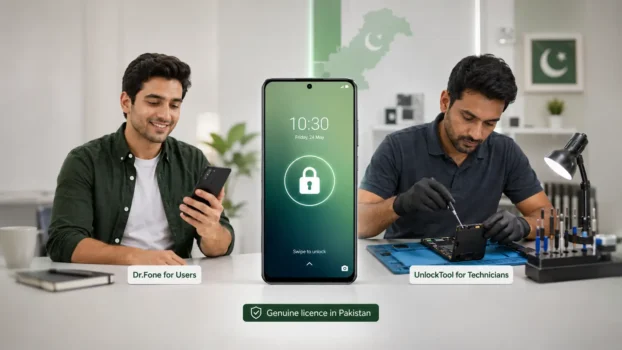
The best Android screen unlock software in Pakistan depends on whether you need guided help for your own phone or a professional platform for repeated repair work. Normal users can compare Dr.Fone Screen Unlock for Android and EaseUS MobiUnlock for Android, while technicians can consider UnlockTool or Chimera Tool.
Before buying, confirm the exact phone brand, model number, Android version, security patch, lock type, and possible data-loss risk. No screen unlock tool supports every Android phone or every security version.
This guide compares options for personal and authorized technician use, explains the difference between screen lock and FRP, and helps you avoid buying software that does not support the required device.
Key Takeaways
- Dr.Fone Screen Unlock for Android provides a guided option for normal users with supported Android devices.
- EaseUS MobiUnlock for Android offers guided screen-lock removal, but its standard Remove Screen Lock process can erase phone data.
- UnlockTool is designed for technicians and repair shops handling repeated multi-brand servicing work.
- Chimera Tool is a broader professional repair platform with model-specific procedures and possible credit requirements.
- Always confirm the exact phone model, Android version, security patch, operation, and data-loss risk before purchasing.
Android Screen Unlock Software Compared
These products serve different users. Consumer software normally provides a guided workflow, while professional technician platforms require more knowledge of phone modes, chipsets, drivers, firmware, and device-specific procedures.
| Tool | Best For | Main Use | Important Warning |
|---|---|---|---|
| Dr.Fone Screen Unlock for Android | Normal Android users and occasional repair work | Guided removal of supported PIN, pattern, password, and FRP locks | Data retention is available only for selected supported devices |
| EaseUS MobiUnlock for Android | Users wanting a guided Android unlock process | Screen-lock removal and supported Samsung FRP procedures | The standard screen-lock removal operation can erase device data |
| UnlockTool Activation | Mobile technicians and repair shops | Multi-brand Android servicing, reset, FRP, flashing, and repair functions | Support depends on model, chipset, security version, and operation |
| Chimera Tool | Experienced technicians and service centers | Broad repair, flashing, FRP, diagnostics, and selected screen-lock procedures | Check supported models, license level, and possible credit costs |
There is no single tool that is best for every Android phone. Choose according to the device, required operation, technical experience, and whether the software will be used once or regularly.
Which Type of Android Unlock Tool Do You Need?
Start by deciding whether you need help with one personal phone or software for repeated customer work. This prevents normal users from buying complicated technician platforms and helps repair shops avoid limited consumer licenses.
Guided Software for a Personal Phone
A normal phone owner usually needs a clear desktop workflow that identifies the phone brand and guides the user through the supported steps.
Dr.Fone Screen Unlock for Android and EaseUS MobiUnlock for Android fit this type of use better than professional servicing platforms. They still require a compatible phone, a computer, a suitable USB cable, and acceptance of any data-loss warning.
Professional Tools for Repair Shops
Technicians need broader device coverage and repeated-use workflows. They may also need functions for FRP, flashing, bootloader work, factory reset, firmware repair, account servicing, or device information.
UnlockTool and Chimera Tool are professional platforms. They may require drivers, special phone modes, test points, firmware knowledge, additional credits, or other technical procedures.
A normal phone owner should not buy a professional platform without first confirming that the required procedure is supported and that they can complete it safely.
For a broader comparison that also covers iPhone and other access-recovery situations, read our Best Phone Unlock Software in Pakistan guide.
Dr.Fone Screen Unlock for Android
Dr.Fone Screen Unlock for Android is a guided desktop tool for users who have forgotten a supported Android PIN, pattern, password, fingerprint, or face lock.
It can also provide FRP-related workflows for supported devices. Compatibility and the exact procedure depend on the phone brand, model, Android version, security level, and selected operation.
Who Should Choose Dr.Fone?
Dr.Fone may suit:
- A phone owner who has forgotten a screen credential
- A user who prefers a guided interface
- A small repair shop handling occasional supported Android unlock jobs
- An IT support worker servicing an organization-owned device with permission
- A buyer who does not need a full technician servicing platform
It is easier to approach than advanced GSM servicing software, but it is not guaranteed to unlock every device.
Can Dr.Fone Unlock Without Data Loss?
Wondershare provides both data-loss and no-data-loss Android unlock methods. However, no-data-loss support is limited to selected supported devices, including certain Samsung and LG models. (Wondershare Support)
Do not assume that your photos, contacts, WhatsApp data, applications, or documents will remain available. Confirm the exact phone model and method before starting.
What to Check Before Buying Dr.Fone
Confirm:
- Phone brand and full model number
- Android version
- Screen-lock type
- Whether the issue is screen lock or FRP
- Whether the phone appears in the current support information
- Whether data loss is acceptable
- Required computer platform and license option
Choose Dr.Fone when you want a guided personal-use solution and your exact device is supported.
EaseUS MobiUnlock for Android
EaseUS MobiUnlock for Android is another guided desktop tool for removing supported Android screen locks.
It includes workflows for PINs, patterns, passwords, fingerprints, and face locks. EaseUS also promotes Samsung FRP support, although the exact procedure depends on the device and current software support. (EaseUS Mobile)
Who Should Choose EaseUS MobiUnlock for Android?
It may suit:
- A personal user who wants guided onscreen steps
- Someone who has forgotten the screen credential on a supported phone
- A user who accepts that the standard unlocking process may erase data
- A small repair business handling occasional supported jobs
- A buyer who does not need advanced flashing or technician servicing functions
The product is simpler than a professional technician platform, but compatibility must still be checked before purchase.
Will EaseUS MobiUnlock Erase Data?
EaseUS states that its Remove Screen Lock operation erases data during the unlock process. (EaseUS Mobile)
Do not choose this method when keeping the existing data is essential. A phone owner should first check whether an official account-recovery method, remembered credential, or available backup can solve the problem.
What to Check Before Buying EaseUS MobiUnlock
Confirm:
- Exact Android phone model
- Android version
- Lock type
- Whether the required operation is supported
- Whether a factory reset or data wipe is acceptable
- Computer compatibility
- License term and device allowance
Choose EaseUS MobiUnlock for Android when you want a guided process and understand the data-loss risk.
UnlockTool for Mobile Technicians
UnlockTool is professional servicing software for mobile technicians, repair shops, refurbishers, and other service professionals.
It provides account-based access to supported functions involving Android servicing, flashing, factory reset, FRP, bootloader operations, account servicing, and repair workflows. The available functions depend on the phone model, chipset, region, security patch, and installed software version.
Who Should Choose UnlockTool?
UnlockTool is suitable for technicians who regularly receive different Android devices.
It may fit:
- Independent mobile technicians
- Phone repair shops
- Refurbishers
- Service businesses
- Technicians handling different chipsets and brands
- Existing UnlockTool users renewing account access
It is not a simple one-phone consumer application.
Why UnlockTool Fits Repair Shops
Repair shops may receive phones from Samsung, Xiaomi, Oppo, Vivo, Realme, Huawei, Tecno, Infinix, Motorola, and other manufacturers.
Different devices can require different drivers, service modes, chipsets, loaders, firmware files, or connection methods. Even two phones from the same brand may not support the same procedure.
UnlockTool gives technicians one environment for checking and performing supported servicing operations instead of relying on a separate basic application for every phone.
What to Check Before Buying UnlockTool
Before ordering activation, confirm:
- Exact UnlockTool username
- Required activation period
- Complete phone model number
- Required operation
- Android version and security patch
- Chipset, when known
- Required phone mode or connection method
- Whether data loss is acceptable
UnlockTool activation is applied to the registered username. Check the username carefully before sending it to BreTech.
Do not purchase only because a phone brand is mentioned in a support list. Confirm that the exact model and required operation are supported.
What About Chimera Tool?
Chimera Tool is a professional mobile repair platform for experienced technicians and service centers.
Chimera Tool is available in different license levels for different technician workloads. You can compare the Chimera Tool Basic License, Chimera Tool Premium License, and Chimera Tool Professional License before choosing the suitable option.
It offers model-specific functions involving screen-lock procedures, FRP, firmware work, bootloader operations, network-related work, device information, and other repair tasks.
Chimera Tool should not be described only as an Android screen unlocker. Screen-lock removal is one part of a larger servicing system.
Can Chimera Tool Remove Android Screen Locks?
Chimera Tool lists Remove Screen Lock procedures for selected supported Android models. Availability depends on the phone, hardware, software version, and supported procedure. (ChimeraTool)
A phone may appear in Chimera’s model database while the exact operation you need remains unavailable. Search for the complete model number and required function rather than checking only the brand.
Who Should Choose Chimera Tool?
Chimera Tool may suit technicians who need several repair functions in one platform.
It can fit shops that regularly handle:
- Firmware jobs
- Supported FRP cases
- Screen-lock procedures
- Bootloader work
- Network-related servicing
- Device diagnostics
- Multi-brand repair work
It is generally too advanced for a normal phone owner who only needs help with one locked device.
Chimera Licenses and Credits
Most Chimera Tool procedures can be used with a valid license, but certain procedures require additional Chimera credits. Credits are used for selected complex or server-based operations that are not included in the license.
Before accepting a customer job, check:
- Exact phone model
- Required operation
- License level
- Whether credits are required
- Credit cost, when applicable
- Possible data loss
- Required connection method
This prevents unexpected costs after the phone has already been received.
You can also explore all Chimera Tool licenses available from BreTech.
UnlockTool vs Chimera Tool
Both are professional technician platforms, but they may suit different repair-shop workflows.
| Comparison Point | UnlockTool | Chimera Tool |
|---|---|---|
| Main User | Mobile technician or repair shop | Experienced technician or service center |
| Main Purpose | Multi-brand phone servicing and unlocking workflows | Broad repair, flashing, diagnostics, and unlocking workflows |
| Screen-Lock Work | Depends on model and supported operation | Available through selected model-specific procedures |
| FRP Operations | Available for supported devices | Available for supported devices |
| Firmware Functions | Depends on device and procedure | Available for supported models |
| Connection Methods | May require different service modes and test points | Uses model-specific modes and procedures |
| Account License | Yes | Yes |
| Additional Credits | Check current operation requirements | Certain procedures require credits |
| Best Fit | Shops focused on common multi-brand servicing | Shops needing a wider all-in-one repair environment |
There is no single winner for every repair shop.
Choose according to the devices your customers bring, the procedures you perform most often, your technical experience, and the total license and credit cost.
A repair shop may use both platforms when their supported devices and procedures complement each other. New technicians should avoid buying several licenses before checking real customer demand.
More Android Unlock and FRP Tools for Technicians
UnlockTool and Chimera Tool are not the only options for professional mobile repair work. Repair shops may need different tools because device support can vary by phone model, chipset, firmware, security version, and required operation.
Other technician-focused tools available from BreTech include:
- DFTPro Tool 1 Year Activation for supported MediaTek, Qualcomm, and Unisoc flashing, repair, servicing, and unlocking operations.
- EFT Pro Activation for supported Android repair, FRP, flashing, reset, and other technician workflows.
- Android Multi Tool (AMT) Activation for supported phone unlocking, FRP reset, factory reset, flashing, and Mi Account servicing.
- Hydra Tool Digital License for multi-brand mobile servicing across supported devices and chipsets.
- Octoplus FRP Tool Activation when FRP reset is the main requirement on supported Android phones and tablets.
- UMT Box/Dongle 1 Year Activation for technicians using compatible UMT hardware for supported FRP, flashing, reset, and repair operations.
These tools are intended for professional servicing rather than simple one-phone screen unlocking. Before buying, confirm the exact device model, chipset, security version, required operation, activation requirements, and whether additional hardware or credits are needed.
For a broader comparison of mobile servicing and unlocking options, see Best Phone Unlock Software in Pakistan.
Screen Lock, FRP, Account Lock, and Network Lock
Customers often say that a phone is “locked” without identifying the real problem.
A technician must determine the lock type before selecting software.
| Lock Type | What the User Usually Sees | Typical Requirement |
|---|---|---|
| Screen lock | PIN, pattern, password, fingerprint, or face-lock screen | Supported screen-lock reset or removal procedure |
| FRP lock | Google account verification after a factory reset | Supported FRP procedure and ownership confirmation |
| Network lock | Phone accepts only a particular carrier or SIM network | Supported network-unlock or code procedure |
| Manufacturer account lock | Mi Account, Huawei ID, Samsung account, or another vendor account | Brand and model-specific account procedure |
| Software failure | Boot loop, recovery error, or firmware problem | Firmware, flashing, recovery, or repair procedure |
These operations are not interchangeable.
A tool that supports FRP on one model may not support its screen lock, manufacturer account lock, or network lock.
Will Android Screen Unlocking Erase Phone Data?
Android screen-lock removal can result in data loss.
Modern Android devices use encryption and security controls connected to the user’s screen credential. On many phones, removing an unknown lock requires a factory reset or another process that clears stored user data.
Possible losses include:
- Photos and videos
- Contacts
- Documents
- Applications
- Account information
- Messages
- Locally stored WhatsApp data
- App settings
Some selected devices and procedures may offer a no-data-loss method, but no technician should promise data retention before confirming the exact model and supported operation.
Explain the risk before starting and obtain the customer’s approval when a reset may be required.
What to Confirm Before Buying or Starting a Job
A short compatibility and ownership check can prevent failed jobs, wrong purchases, and customer disputes.
Record:
- Phone brand and full model number
- Android version
- Security patch, when visible
- Exact lock type
- Message shown on the screen
- Required operation
- Phone chipset, when relevant
- Whether data loss is acceptable
- Available ownership evidence
- Required license term or account details
Also confirm that the computer has the correct drivers, a stable internet connection, and a reliable USB cable.
When a procedure requires phone disassembly, a test point, EDL access, or another low-level connection, explain the additional hardware risk before starting.
Legal and Authorized Use
Android unlock software should only be used for legitimate and authorized access recovery or repair work.
Accept customer devices only when ownership can reasonably be confirmed. Possible evidence may include:
- Purchase receipt
- Matching identification
- Original phone box
- Existing account information
- Company asset record
- Other credible ownership evidence
Repair shops should keep a service record containing the customer’s name, contact details, phone model, serial number or IMEI, requested work, possible data-loss warning, and authorization.
Do not service stolen phones, suspicious devices, or phones where ownership cannot be reasonably confirmed.
Technical ability does not remove the need for customer permission and lawful use. Repair businesses should also understand the legal risks of unlicensed software in Pakistan when handling customer devices and private information.
Why Avoid Cracked Android Unlock Tools?
Cracked unlock software can expose both the technician’s computer and the customer’s phone to serious risks.
Modified installers may contain:
- Malware
- Password stealers
- Remote-access software
- Fake activation files
- Modified drivers
- Stolen or unstable accounts
A cracked or altered tool may stop working during a procedure, damage firmware, interrupt communication with the phone, or expose private customer data.
For a repair shop, this can lead to financial loss, failed jobs, customer complaints, privacy problems, and damage to the business’s reputation.
A genuine license provides a safer activation process, official updates, better account stability, and access to available publisher support. Before installing technician software, learn how to verify that a software license is genuine.
Buy Genuine Android Unlock Software in Pakistan
BreTech provides genuine Android unlock and technician software with PKR pricing, local payment options, digital delivery or activation, invoice support, and ordering guidance.
Choose according to your use case:
- Buy Dr.Fone for guided unlocking on a supported personal device.
- Buy EaseUS MobiUnlock for Android when you accept its data-loss warning and the phone is supported.
- Buy UnlockTool when you need repeated professional servicing functions.
- Check Chimera Tool separately when your repair workflow requires its supported professional procedures.
Browse the Device Unlock Software category for guided Android access-recovery tools.
Repair shops can explore the wider Technician Tools collection for mobile servicing, recovery, transfer, imaging, and repair workflows.
Before ordering, provide:
- Software name
- Required license period
- Registered username or account email, where applicable
- Phone brand and complete model number
- Required operation
- Personal, shop, or service-center use
Never send BreTech your account password, OTP, or recovery code.
Final Buying Advice
Choose Dr.Fone Screen Unlock for Android when you are a normal user who wants guided screen-lock or supported FRP help.
Choose EaseUS MobiUnlock for Android when you want a guided Android unlock workflow and accept that its normal Remove Screen Lock operation can erase data.
Choose UnlockTool when your repair work mainly involves repeated multi-brand servicing, FRP, resets, flashing, and related technician operations.
Consider Chimera Tool when your shop needs a broader professional repair platform and you have checked its model support, license level, and possible credit requirements.
Do not choose only by software name, advertised brand count, or price. The best tool is the one that supports the exact phone and required operation while matching your technical experience and legal authority to service the device.
Explore more buying and troubleshooting advice in our Mobile Unlocking and FRP Tool Guides.
FAQs
Q: What is the best Android screen unlock software in Pakistan?
A: Dr.Fone and EaseUS MobiUnlock suit guided personal use, while UnlockTool and Chimera Tool suit technicians. The best choice depends on the exact phone model, Android version, lock type, and supported operation.
Q: Can Android screen unlock software unlock every phone?
A: No. Support depends on the phone brand, model number, chipset, Android version, security patch, region, and required operation. Always confirm exact compatibility before buying or starting any unlock process.
Q: Will Android screen-lock removal erase my data?
A: Yes, it may. EaseUS screen-lock removal can erase device data, while Dr.Fone offers no-data-loss methods only for selected supported phones. Confirm the exact method and back up available data first.
Q: Is UnlockTool suitable for normal phone users?
A: UnlockTool is mainly built for mobile technicians and repair shops handling FRP, flashing, resets, bootloader work, and other supported servicing tasks. Normal users usually need a simpler guided tool.
Q: Can Chimera Tool remove an Android PIN, password, or pattern?
A: Chimera Tool can remove PINs, passwords, or patterns on selected supported Android models. Availability depends on the exact model, hardware, software version, security level, and current procedure.
Q: Is screen lock the same as FRP?
A: No. A screen lock controls normal access through a PIN, pattern, password, fingerprint, or face lock. FRP usually appears after a factory reset and asks for the Google account previously linked to the phone.
Q: Can technicians use unlock software on customer phones?
A: Technicians should use unlock software only with clear customer permission and reasonable proof of ownership. Record the device details, requested work, data-loss warning, and customer approval before starting.