 Abdul Basit
Here is the full ready version with only the needed edits, keeping the rest as close as possible to your current draft and aligned with your BreTech SOP.
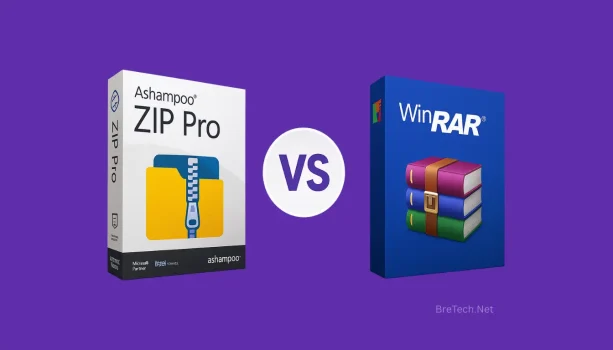
Ashampoo ZIP Pro vs WinRAR in Pakistan becomes urgent when a client sends a locked archive and you need it opened fast for work or study.
Many people install random “free” archivers or use cracked copies, then hit broken extractions, suspicious installers, or missing features at the worst time.
A safer choice is picking genuine licenses that match your needs, so file sharing stays simple and predictable.
Ashampoo ZIP Pro is better if you want an all-in-one suite with extra tools, cloud workflow, and add-ins. WinRAR is better if you mainly compress/extract RAR and ZIP and want a light, fast classic. Trials may show reminders or limits, so check the edition before you decide.
BreTech offers genuine software licenses in Pakistan with PKR pricing, local PKR payment options, and 1–72 hour digital email delivery as an authorized software reseller.
Quick Comparison Table
| Feature/Need | Ashampoo ZIP Pro | WinRAR |
|---|---|---|
| RAR/ZIP basics | Yes | Yes (very fast) |
| 7z and other formats | Strong | Good |
| AES-256 encryption | Yes (guided options) | Yes (set password) |
| Office/email add-ins | Available in some editions | No |
| Cloud workflow helpers | Available | No |
| Low-end PC speed | Good | Excellent |
| Batch and repair tools | Strong | Limited |
Browse options: Archive & Compression Explore brands: Ashampoo and WinRAR
What’s the Real Difference in Ashampoo ZIP Pro vs WinRAR in Pakistan?
Ashampoo ZIP Pro is designed like a toolkit for home and office use. It is useful when you work with different archive formats, need extra utilities, and prefer a guided workflow. You can see the full product details on Ashampoo ZIP Pro.
WinRAR is a classic archiver that focuses on fast compress/extract, simple right-click actions, and reliable RAR/ZIP handling. You can check the licensed option on WinRAR License.
In simple terms, Ashampoo ZIP Pro suits users who want extra tools and a more guided workflow, while WinRAR suits users who want a lighter tool for everyday archive tasks.
Why This Comparison Matters in Pakistan
Many users in Pakistan start with free archive tools, but later switch when extraction errors, password issues, or suspicious installers waste time during client work.
A proper comparison matters because the better choice is not always the one with more features. It is the one that matches your file types, your PC, and how often you handle secure archives.
Who Should Choose Which Tool in Pakistan?
- Home users and students usually prefer WinRAR for basic extracting, small backups, and quick ZIP tasks.
- Shops, SMEs, and offices often prefer Ashampoo ZIP Pro when they want extra tools and repeatable encrypted file sharing.
- IT and admin users may prefer Ashampoo ZIP Pro when they deal with many formats and need repair utilities.
- Freelancers can go either way depending on how often they exchange protected client files.
Is Encryption Strong and Easy to Use?
Both tools support AES-256 encryption for ZIP archives.
Ashampoo ZIP Pro tends to make encryption easier through guided steps and built-in helpers that suit team workflows.
WinRAR lets you set a password when creating an archive. It is simple and dependable for personal use and small teams.
Which One Runs Better on Low-End PCs in Pakistan?
WinRAR is very light and responsive, so it suits older laptops and quick tasks.
Ashampoo ZIP Pro can run well too, but it may feel heavier if you enable many extra modules at once.
What About Cloud and Email Workflows?
Ashampoo ZIP Pro includes features aimed at smoother file sharing, especially for office-style workflows.
WinRAR does not focus on cloud or email add-ins, so you usually create the archive and then upload or attach it manually.
How to Choose Between Ashampoo ZIP Pro and WinRAR
- Need only fast compress/extract for RAR/ZIP? Choose WinRAR.
- Need extra tools plus a suite-style workflow? Choose Ashampoo ZIP Pro.
- Share encrypted archives daily with clients or a team? Ashampoo ZIP Pro often fits better.
- Using an older PC and doing basic tasks? WinRAR is usually the safer choice.
Ashampoo ZIP Pro vs WinRAR in Pakistan: Which Is Better for Security?
For teams that need a repeatable process for protected attachments, Ashampoo ZIP Pro can feel more guided. For solo users who want quick encrypted ZIPs and reliable RAR/ZIP handling, WinRAR is usually enough.
What to Avoid When Choosing an Archiver
Avoid patched installers and “activated” downloads from random sites. They are a common reason for failed extraction, malware warnings, and wasted time.
Also avoid using weak passwords on encrypted archives. Use a long password and store it safely.
Why Buy from BreTech?
BreTech provides genuine software licenses with PKR pricing on relevant pages, local payment options, fast digital email delivery on most orders, and local Urdu and English support if you need help choosing or activating the right tool.
Build your toolkit here: File & Software Management
Conclusion
Ashampoo ZIP Pro vs WinRAR in Pakistan comes down to how you actually use archive files. If your work is simple and you just need fast compression and extraction, WinRAR is still the easiest and most reliable option.
If you handle different file formats, share encrypted files regularly, or want a more complete workflow with extra tools, Ashampoo ZIP Pro gives you more control and flexibility.
For most users in Pakistan, the safest approach is to choose a genuine license based on your daily needs instead of relying on trial limits or cracked versions that can fail at the wrong time.
FAQs
Q: How do I open a .RAR or .ZIP sent by a client?
A: WinRAR opens RAR/ZIP quickly. Ashampoo ZIP Pro opens RAR/ZIP/7z and more. If you often receive mixed formats, Ashampoo can feel easier.
Q: Can Ashampoo ZIP Pro open RAR files?
A: Yes, it can open RAR files. Creating new RAR archives is mainly WinRAR’s strength, but many users only need to open or convert files.
Q: Is AES-256 good enough for client documents?
A: Yes, AES-256 is a common standard for ZIP encryption. Use strong passwords and share them through a different channel.
Q: Will these tools work on older Windows PCs in Pakistan?
A: Yes. WinRAR is very light for older laptops. Ashampoo ZIP Pro can also run well, especially if you keep extra modules disabled.
Further Reading
- WinRAR Pricing in Pakistan
- Is WinRAR Safe to Use in Pakistan
- WinRAR Free vs Paid in Pakistan
- Best File Compression Software in Pakistan
For more support with compressed files, archive formats, and related tools, check our Archive & Compression guides.